Spread Dashboard, Mobile 2.0, Contact Organization Editing Improvements, and More
Overview
In November, we introduced a variety of improvements to provide a more convenient and stable user experience.
Check out the key updates for Relate and Spread below!
⭐ Key Improvements
Relate & Spread – Common Updates
1) Fixed Issue: Unable to Edit a Contact’s Organization Information
You can now update the organization associated with a contact directly from the contact detail page.
Simply click the organization field → search → select a new organization.
This update helps improve data accuracy by allowing you to correct incorrectly assigned organization information.
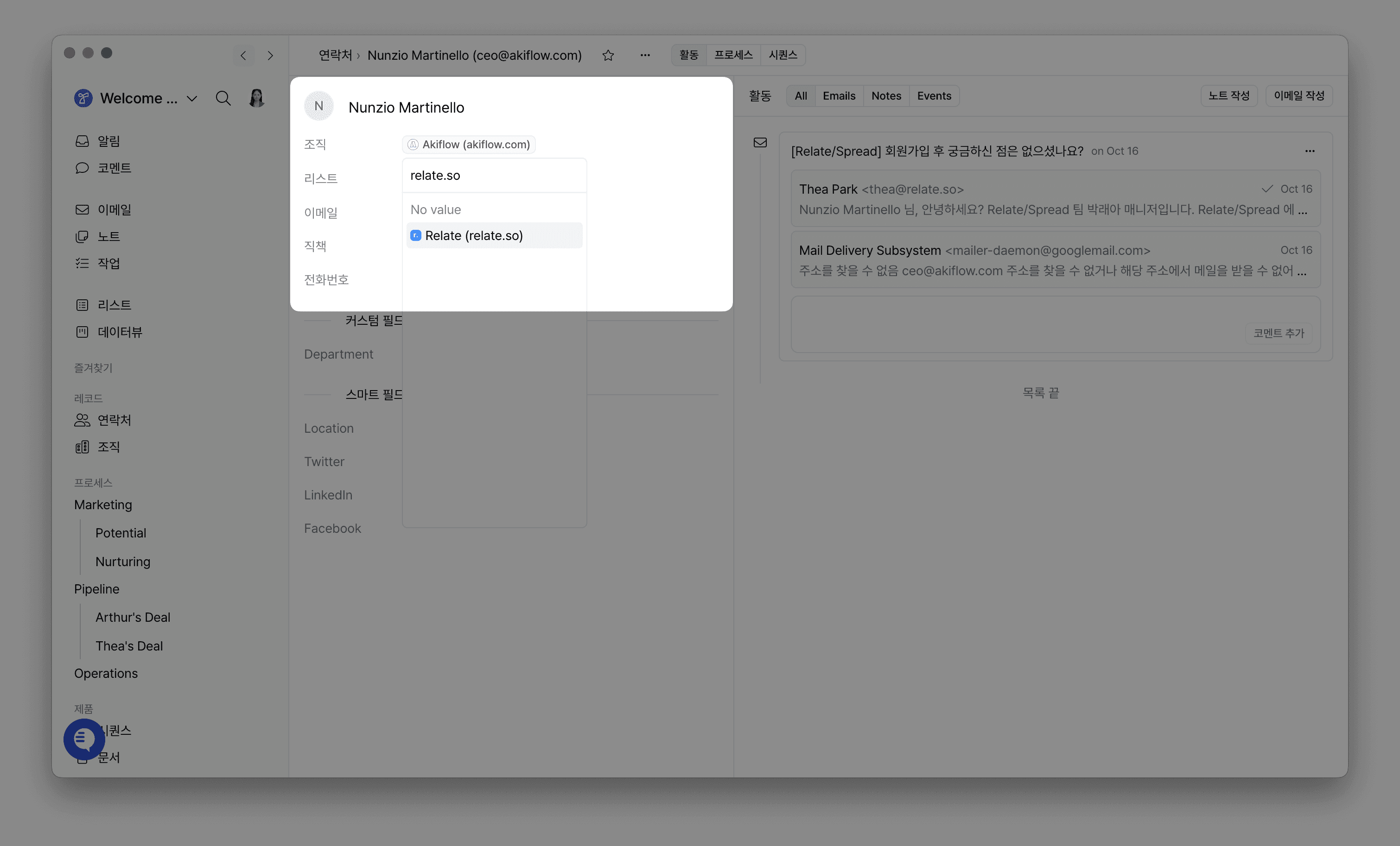
Where: Contact Detail → Click Organization
Action: Search & select the correct organization
2) Slack Integration: New Notifications for Sequence Email Replies
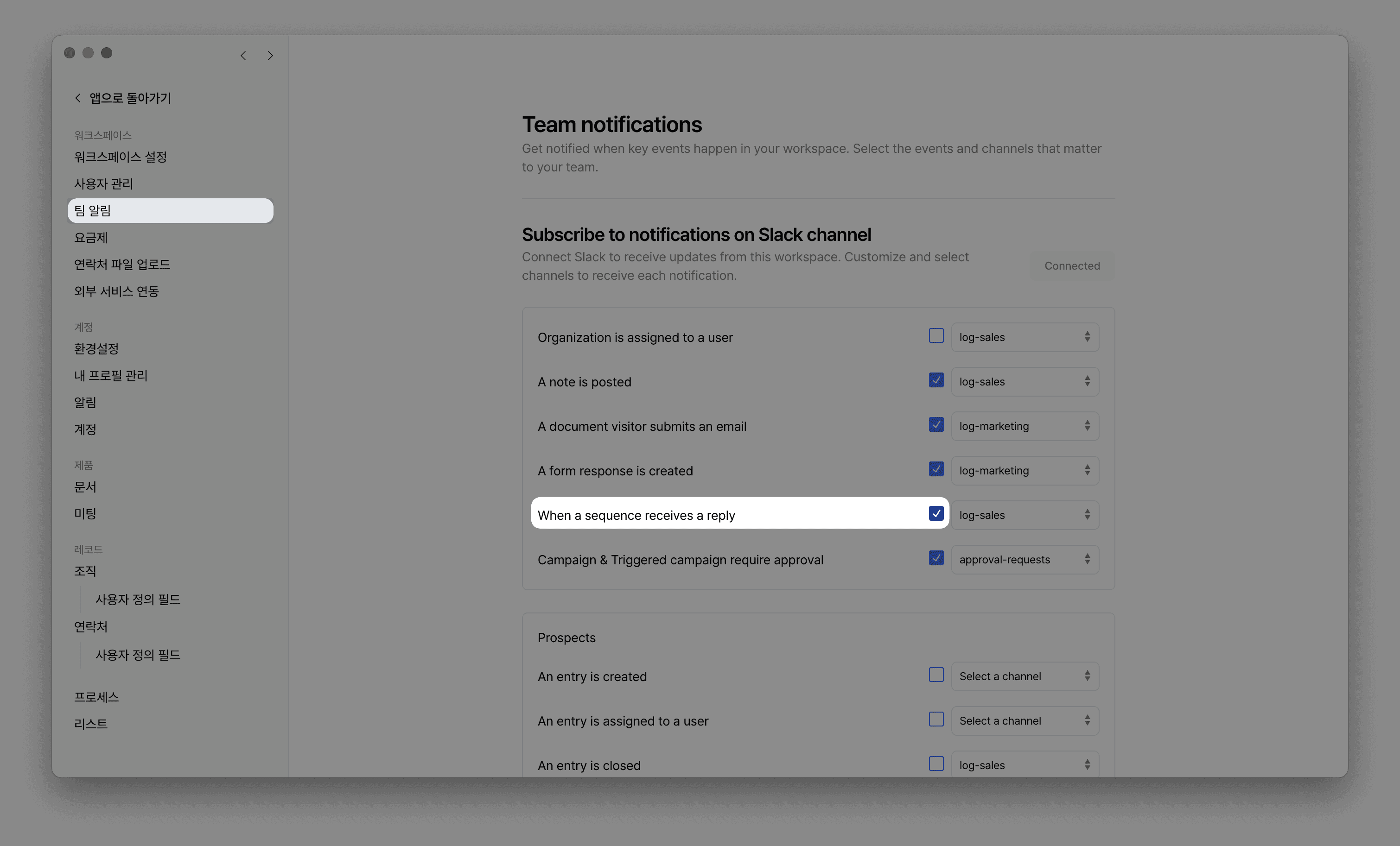
You can now receive Slack notifications whenever a recipient replies to your sequence emails.
This enables you to monitor important lead responses instantly and take action right away.
Setup: Workspace Settings → Team Notifications → Check “When a sequence receives a reply” and select a Slack channel
Benefit: Faster and more proactive follow-up through real-time response monitoring
Spread
1) New Spread Dashboard Released
A brand-new dashboard has been added as the main Spread landing page, allowing you to get a full overview of your performance at a glance.
Key metrics available:
Performance of all campaigns / automated campaigns / sequences
Subscriber growth trends
Delivery metrics by email address
Performance comparison by time period
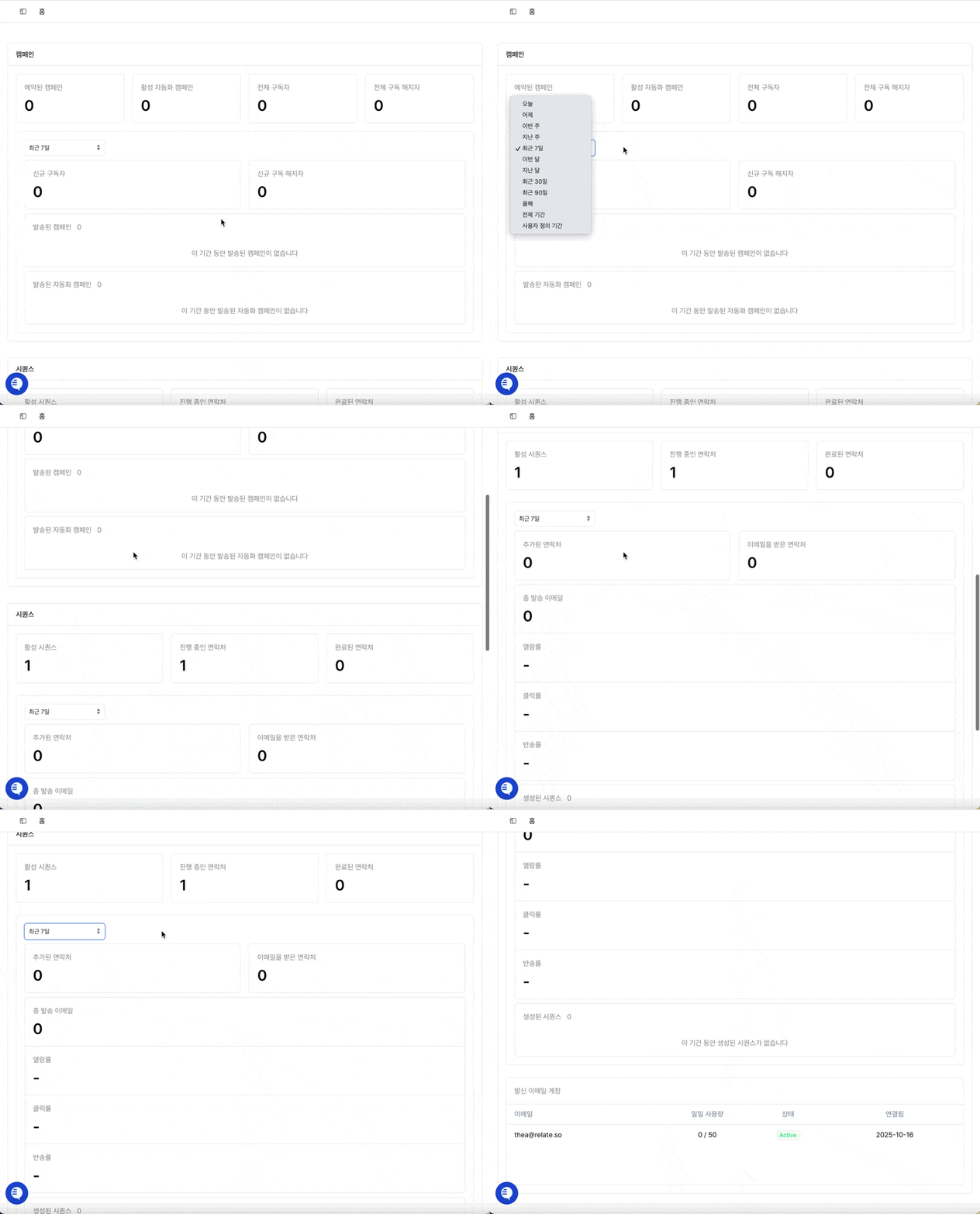
You can browse the full dashboard and view how metrics change based on your selected date range.
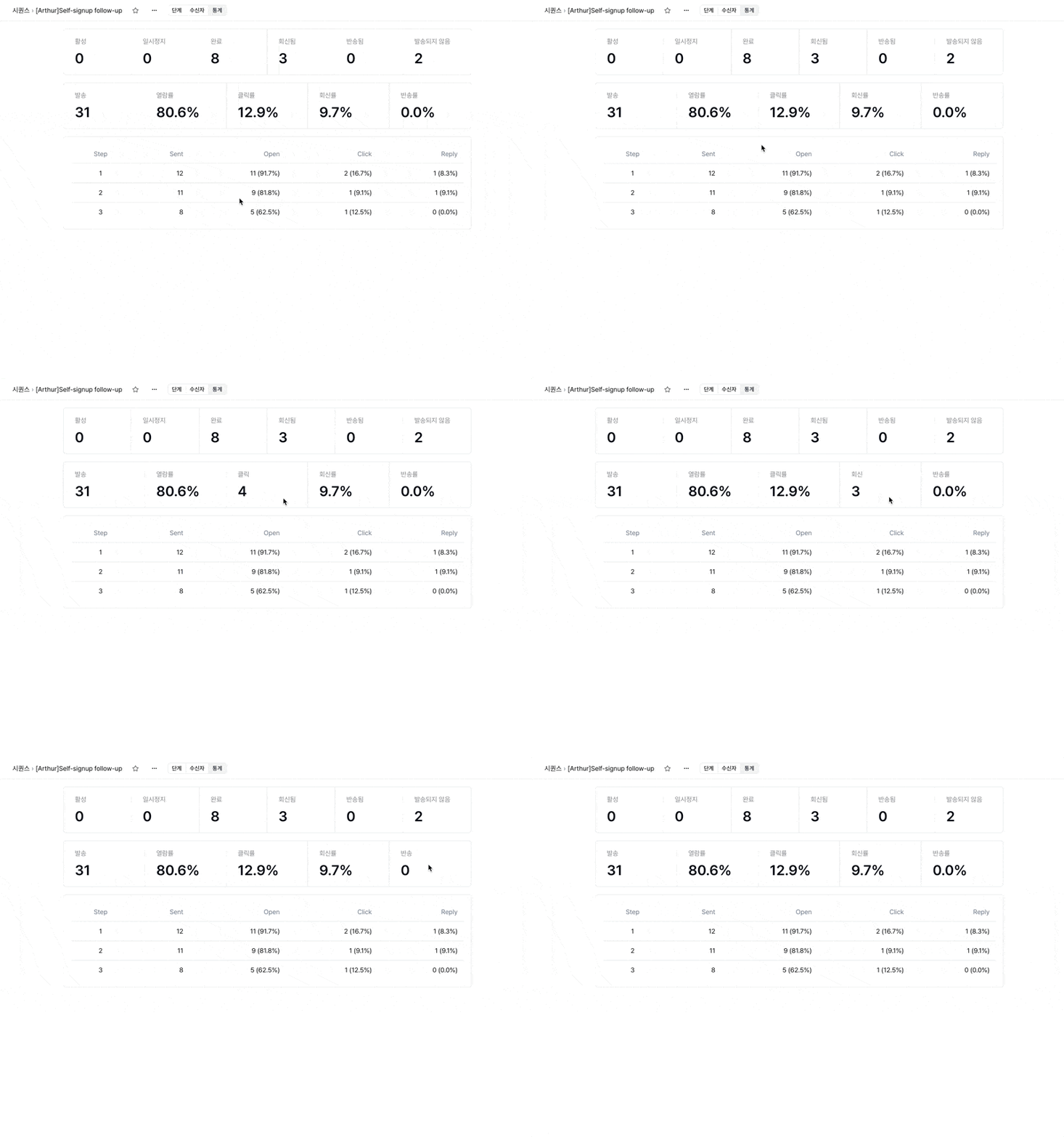
2) Enhanced Sequence Statistics Page
The statistics page for individual sequences has been upgraded so that step-by-step metrics (opens, clicks, replies, etc.) are clearer and easier to interpret.
This page is also naturally connected from the new Spread Dashboard.
What’s improved:
Get a clear visual overview of the entire sequence flow
Identify where leads drop off or take action
Hover over stats to view exact percentages and counts
Easily apply insights to improve sequence performance instantly
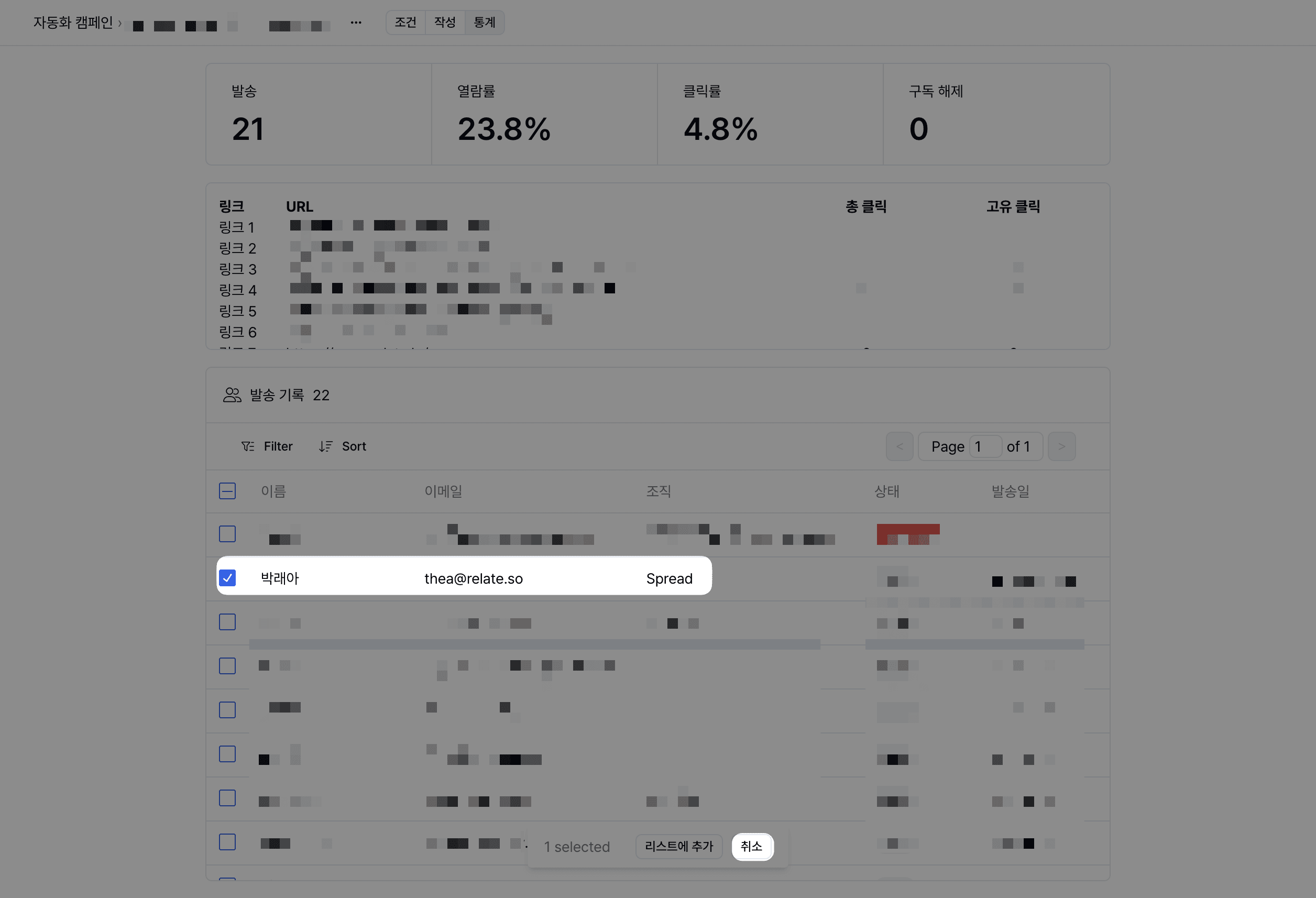
3) Recipient-Level Cancellation for Scheduled Campaigns / Automated Campaigns
You can now selectively cancel scheduled sends for individual recipients.
How: Select checkboxes → Cancel
Benefit: Remove invalid recipients quickly or manage campaign targeting more precisely
Relate
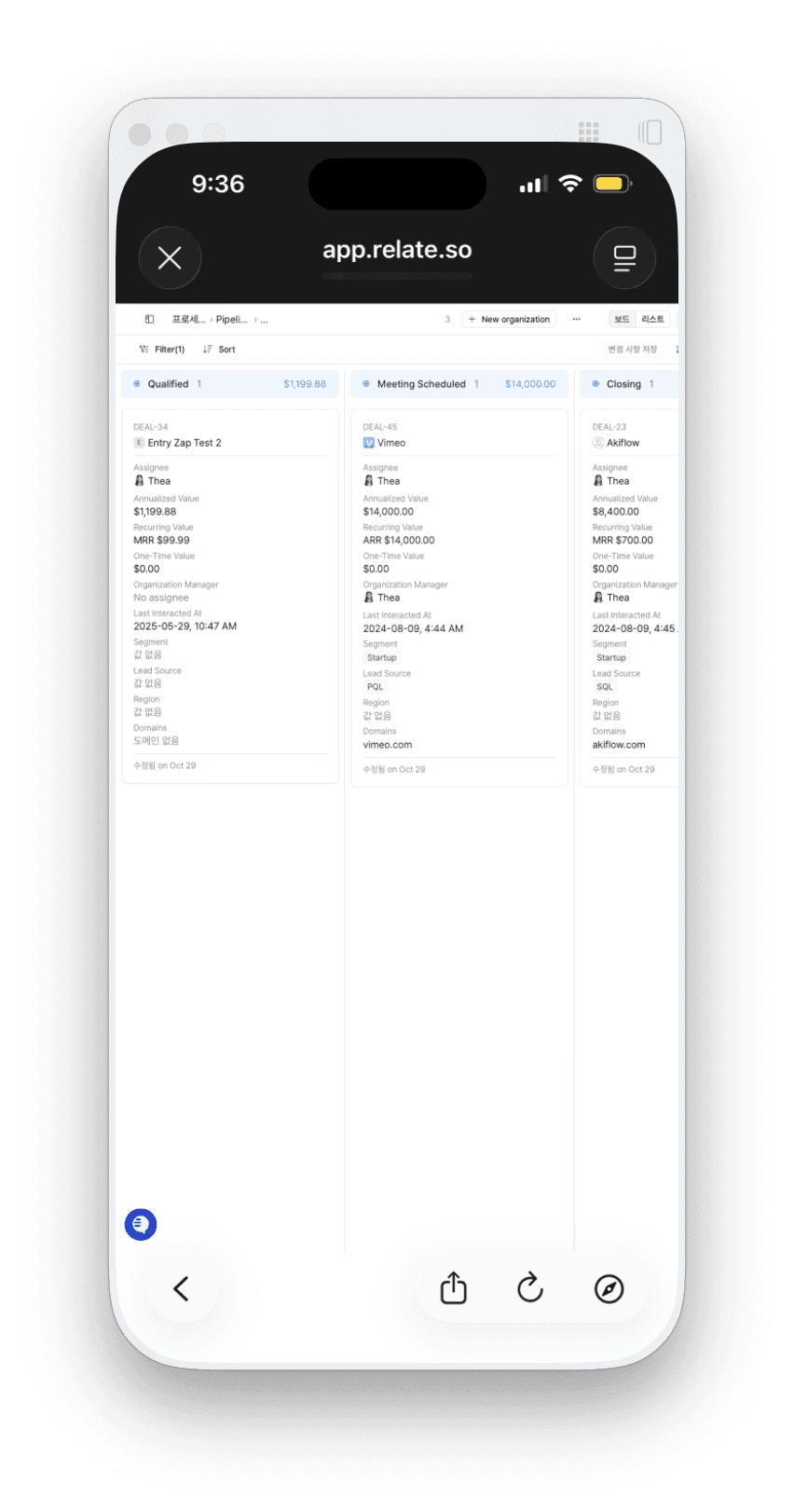
1) Mobile View Optimization (Relate 2.0 · Spread)
The mobile experience has been significantly improved so you can access data and manage tasks more comfortably on the go.
Enhancements include:
Faster and more stable screen loading
Card-based layout for easier reading
Improved accessibility to key functions
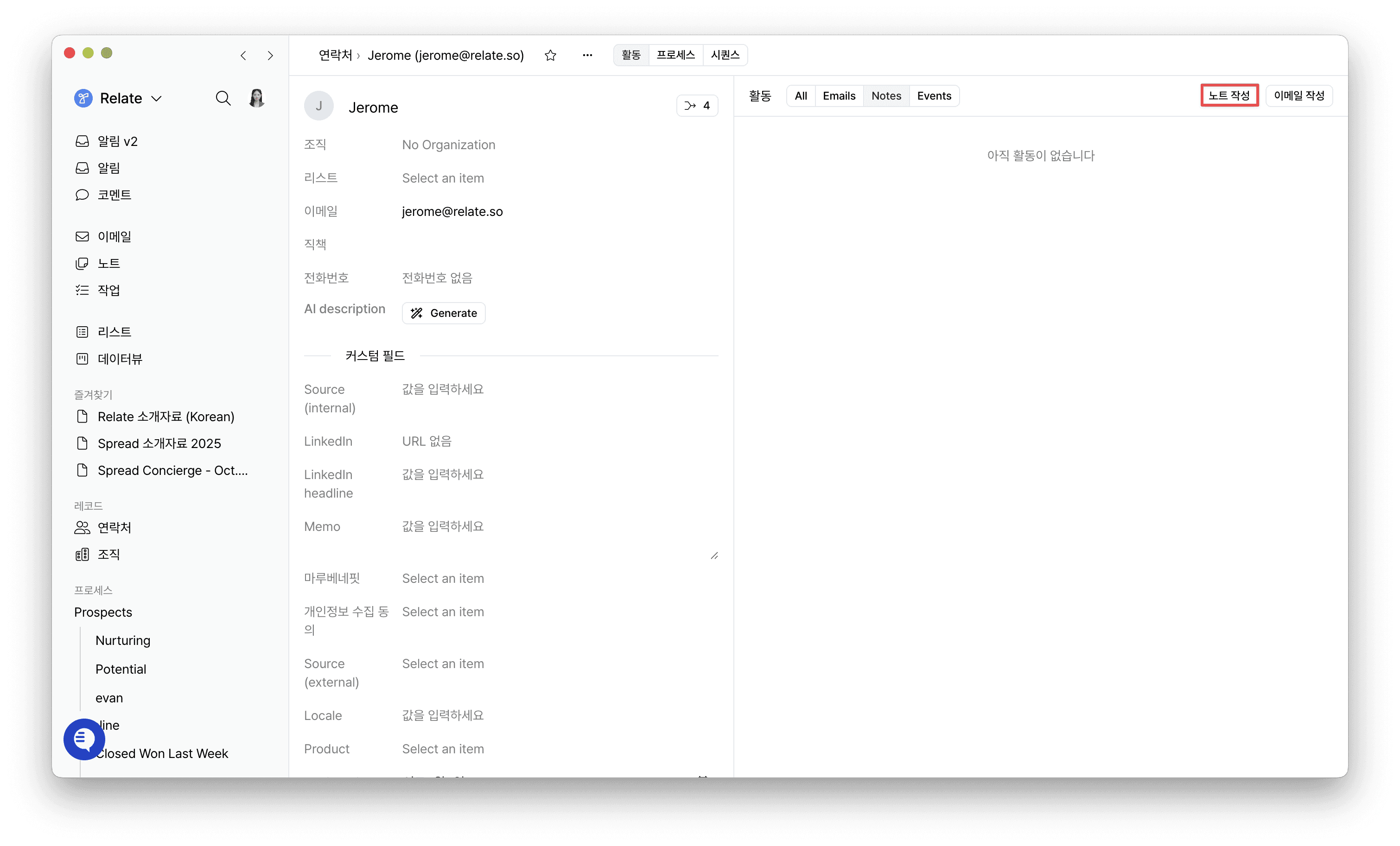
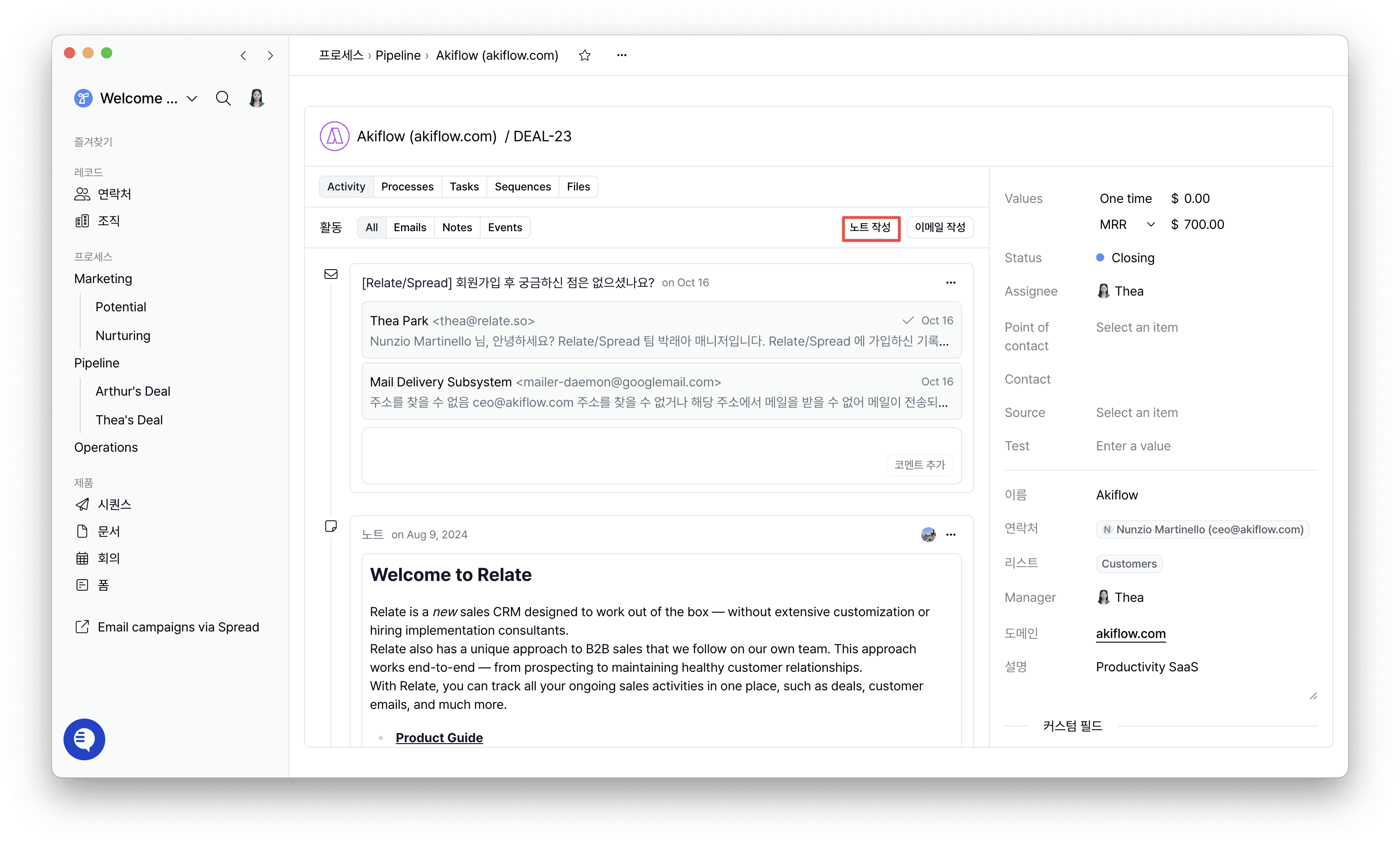
2) Meeting Notes: Now Available at the Contact & Deal Level
Previously, meeting notes could only be created at the Organization level.
Now, you can also create notes directly from Contact and Deal (Process Entry) detail pages.
Benefits:
View notes grouped by specific people or deals for more efficient record-keeping
Example: When meeting multiple stakeholders from one company, you can maintain separate context for each person
Keep all decisions and discussions related to each deal organized in one place, making it easier to track deal progress
Where: Contact Detail Page / Deal Detail Page → Create Note
Other Improvements & Bug Fixes
Below are additional updates made in November across Common, Relate, and Spread.
Common
Enhanced account security:
Accounts that have not completed email confirmation can no longer log in.
Make sure to verify your email when signing up or accepting an invitation.
Decimal support for custom fields (Number type):
Number-type custom fields now support decimal values, enabling more precise data entry (e.g., price, probability, scoring).
Relate
Fixed an issue where some email attachments failed to open
Fixed errors in 1:1 scheduled email sending
Email editor language now follows the browser language
Fixed a bug where Documents would open from the middle of the file instead of the first page
Spread
Improved UI stability for sequences and campaigns
Performance optimizations for pages handling large datasets
Relate & Spread: Continually Evolving
If you encounter any inconvenience or have feature suggestions, feel free to share them anytime.
Relate and Spread will continue to evolve with more powerful automation and a smoother, more reliable user experience.