AI-Powered Automation, Lead Data Tracking, and More
Overview
Relate/Spread has been further enhanced.
This update strengthens email automation capabilities, introduces AI-powered features, and includes various usability improvements.
Explore the key updates in this changelog!
⭐️ New Features
1. Spread | Emma
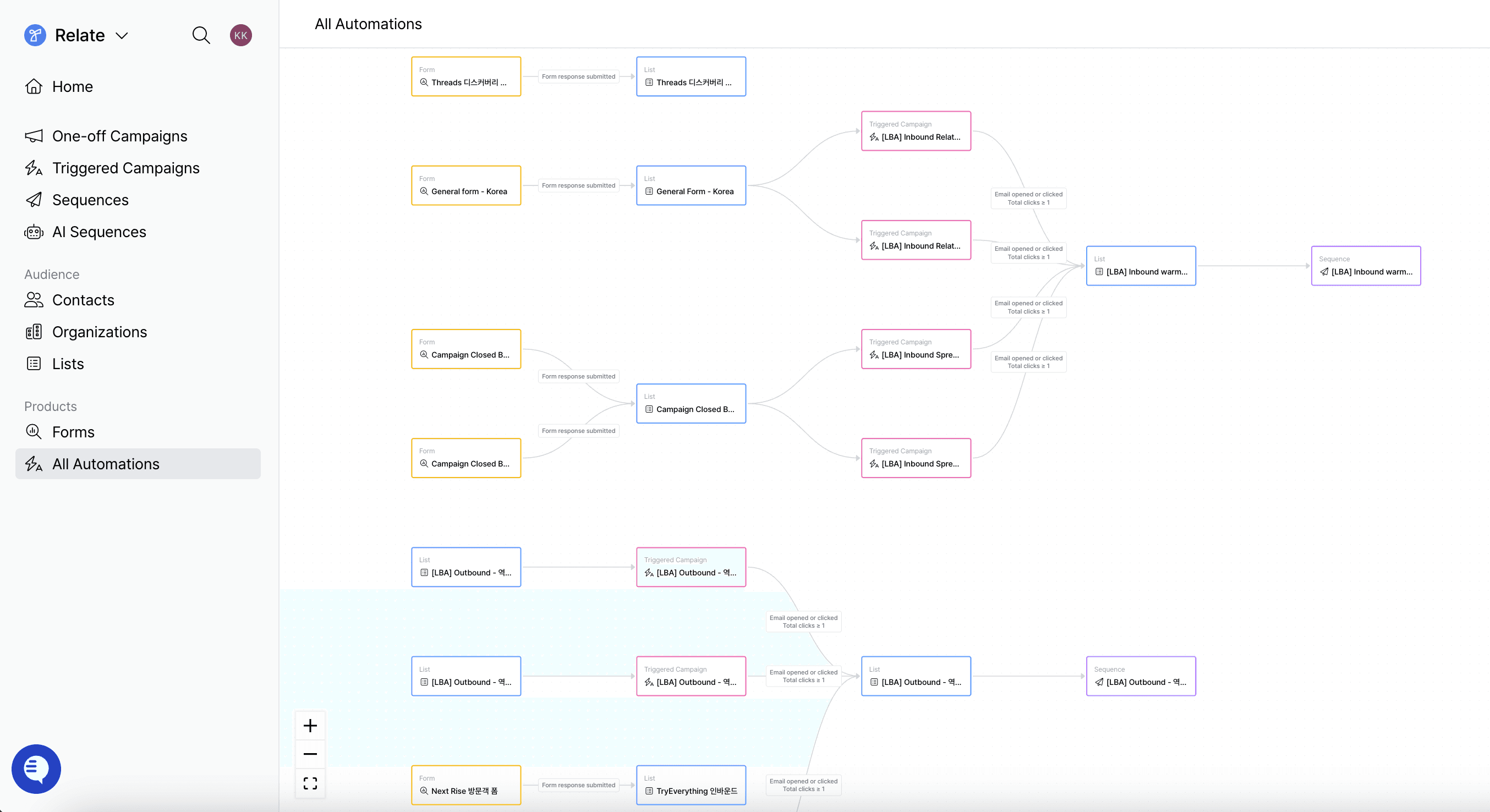
Spread | Emma is an AI marketing agent that automatically manages lead qualification, follow-ups, and sales handoffs after a lead is captured. For example, after an inbound inquiry or content download, it can automatically send emails and trigger next actions such as connecting to sales or moving the lead into a nurturing flow based on engagement.
It also enables fast email draft generation using AI Writer, and supports AI Import, which automatically detects columns during data uploads for a smoother import experience.
For more details, visit the Spread | Emma overview page. If you would like to learn more about implementation or use cases, please contact us through the Spread | Emma inquiry form.
2. Pulse
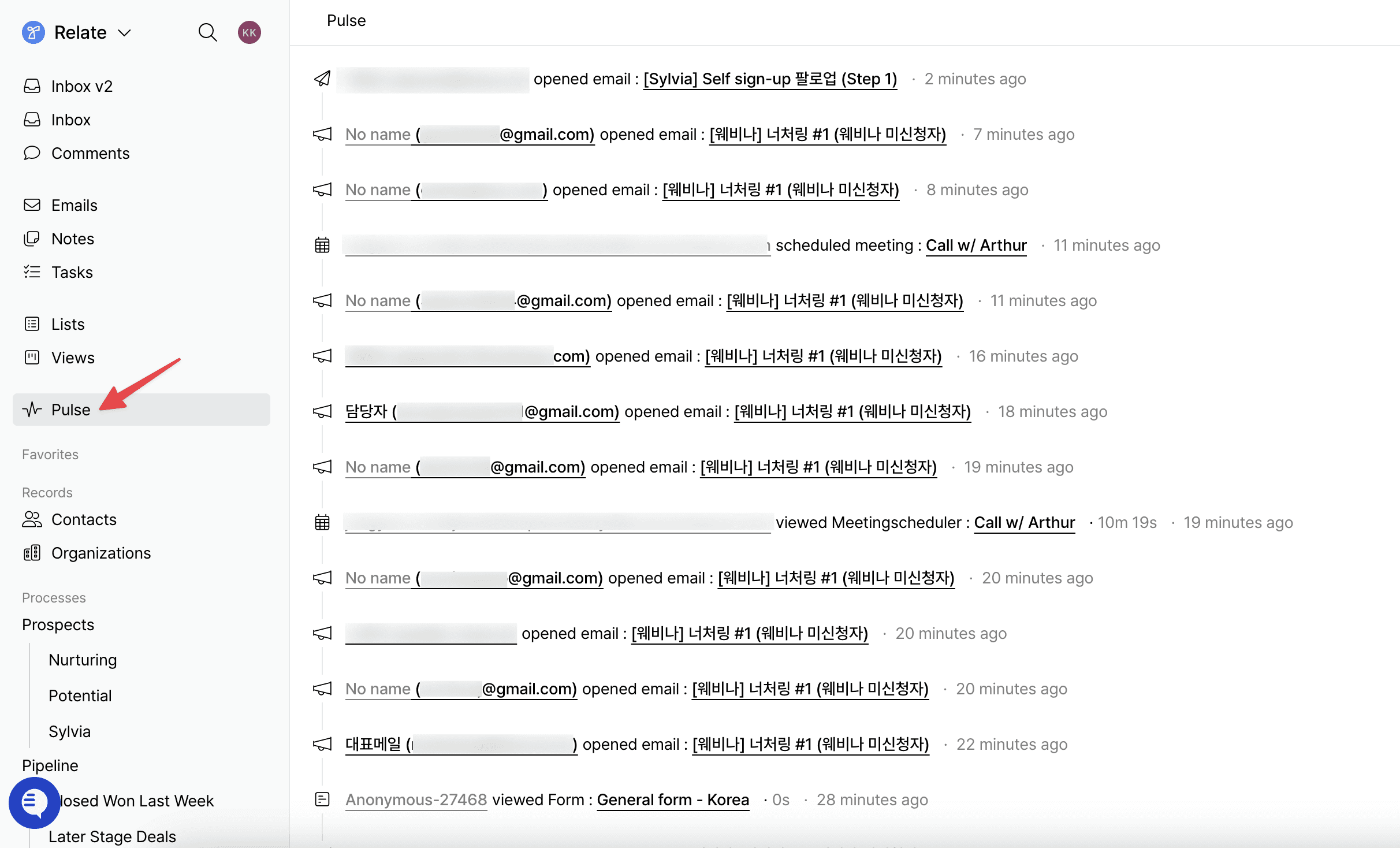
Pulse provides a unified timeline of every lead activity, including email opens, document views, form submissions, meeting bookings, and website visits. Beyond basic metrics, it allows you to see what content a lead engaged with and the path they took to convert, all in a single view.
It consolidates engagement across One-off Campaigns, Triggered Campaigns, Sequences, and 1:1 emails, as well as document page views and downloads, form submissions, and meeting bookings. You can also track anonymous visitor activity and continue viewing their history after they are identified.
Pulse is currently available in beta and open for early access. If you are interested in conversion analysis based on lead behavior data, please contact us through the Beta inquiry form.
3. AI Research
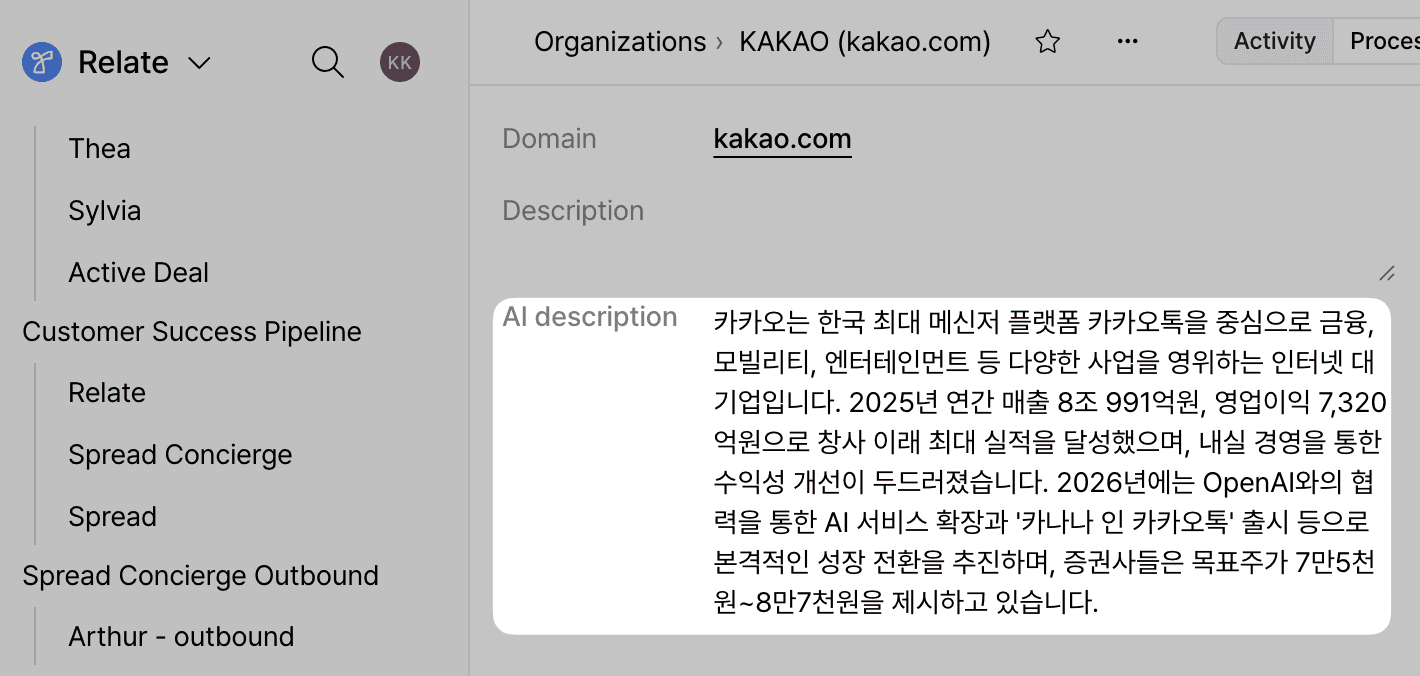
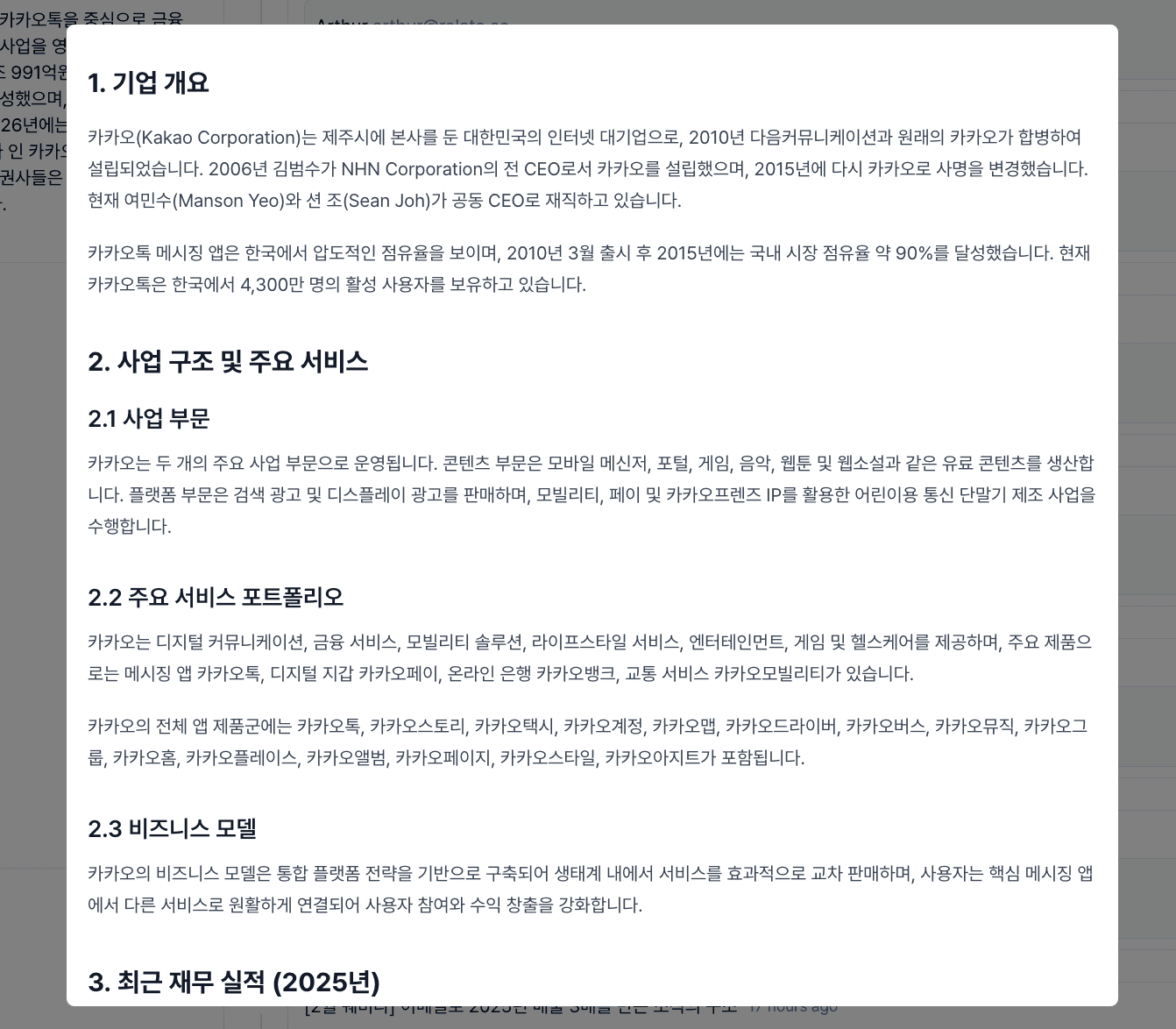
AI Research creates a structured analysis report based on an organization name (or contact), summarizing key information such as business structure, services, model, and recent performance, along with relevant source references.
This allows you to quickly gather key insights without additional research and apply them directly to email writing or meeting preparation.
AI Research is currently available in beta and open for early access. If you would like to try the automated analysis feature, please contact us through the Beta inquiry form.
4. Share Emails as Web Links
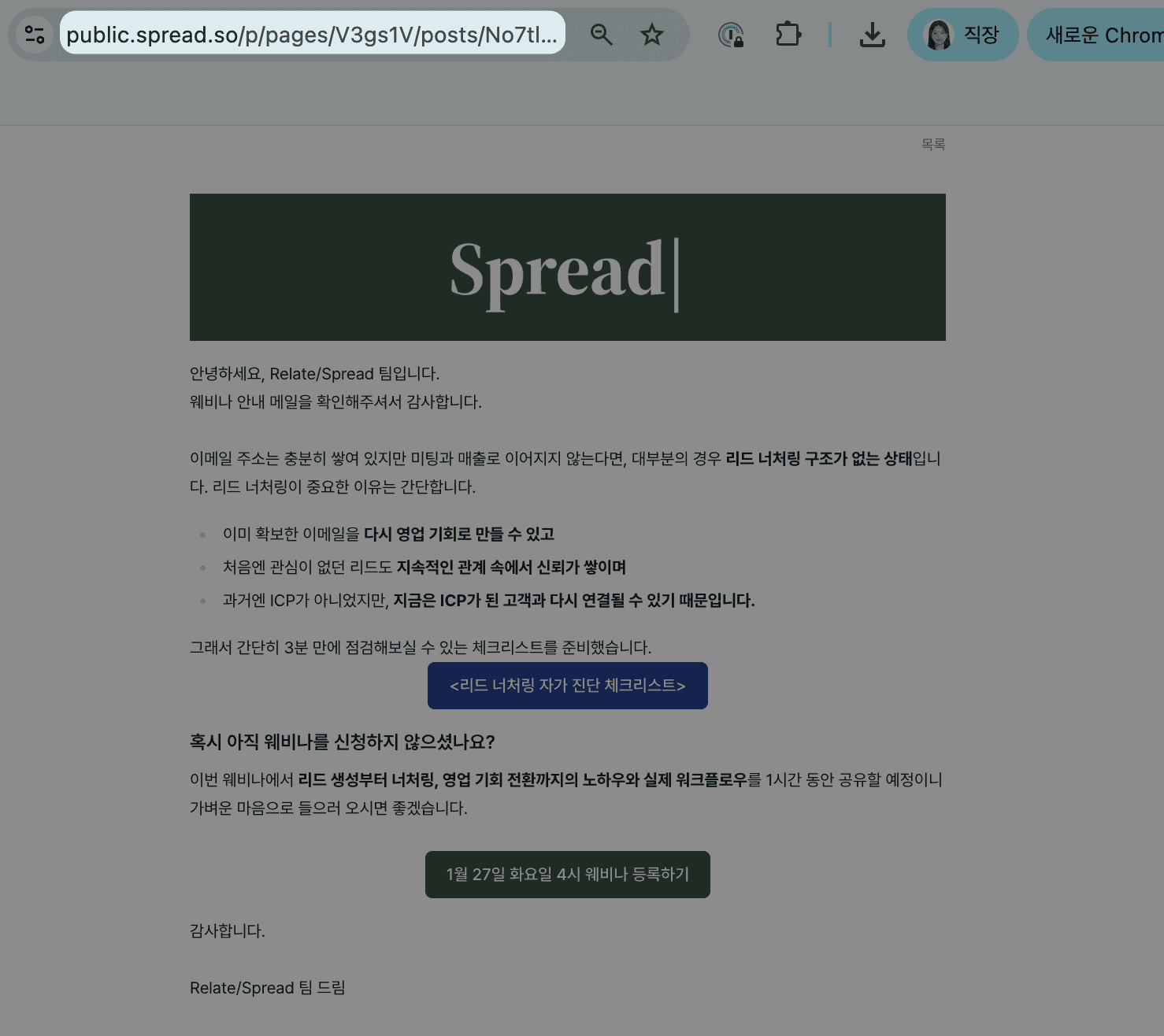
You can now generate a web link for One-off Campaigns and Triggered Campaigns sent through Spread. Anyone with the link can view the same email content on the web, even if they did not receive the original email.
This makes it easy to share sent emails via Slack, messaging apps, or documents, and to distribute them internally or with customers.
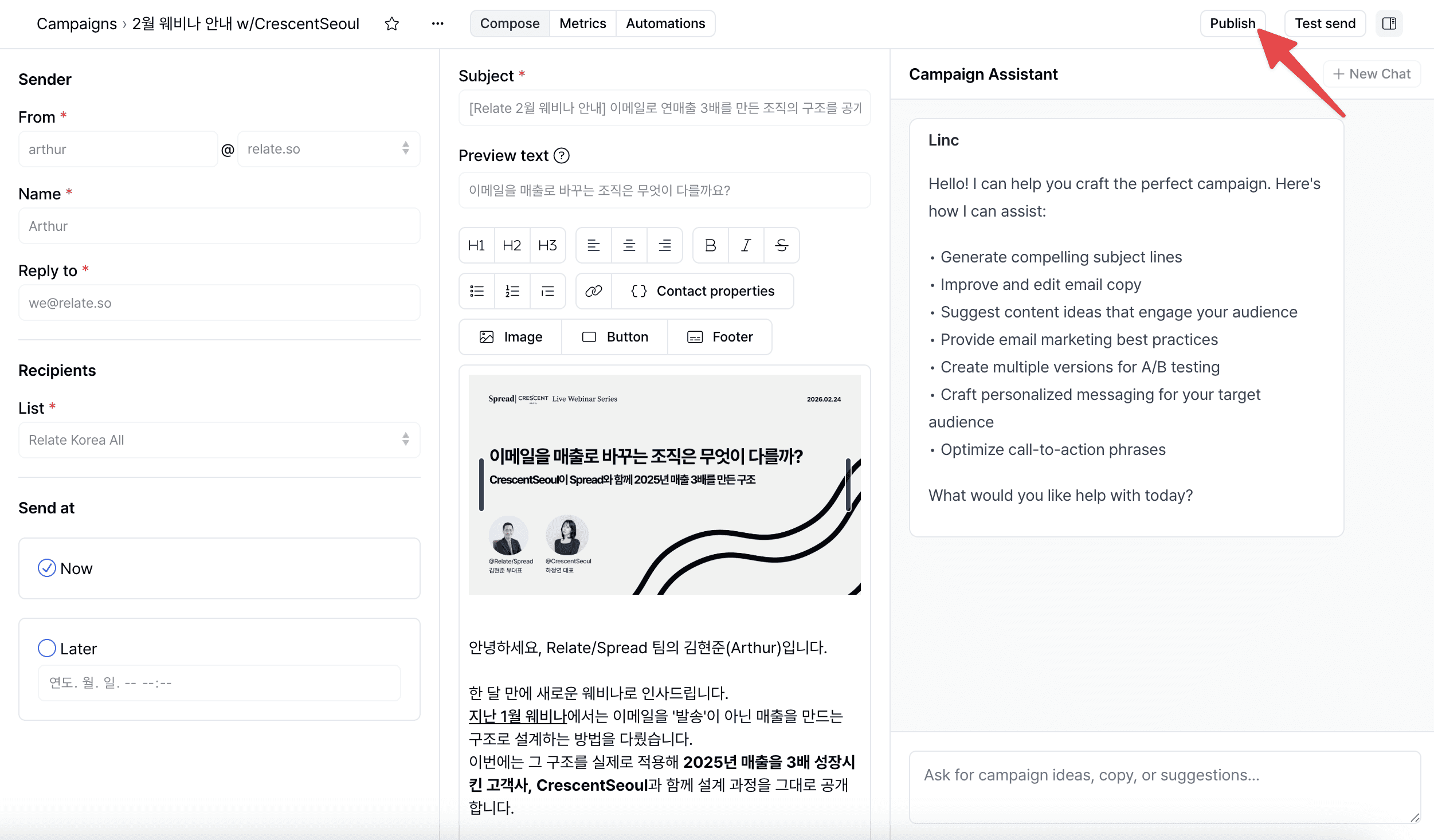
To generate a share link in an one-off campaign: Go to the detail page of the campaign > click the ‘Publish‘ button in the top right corner.
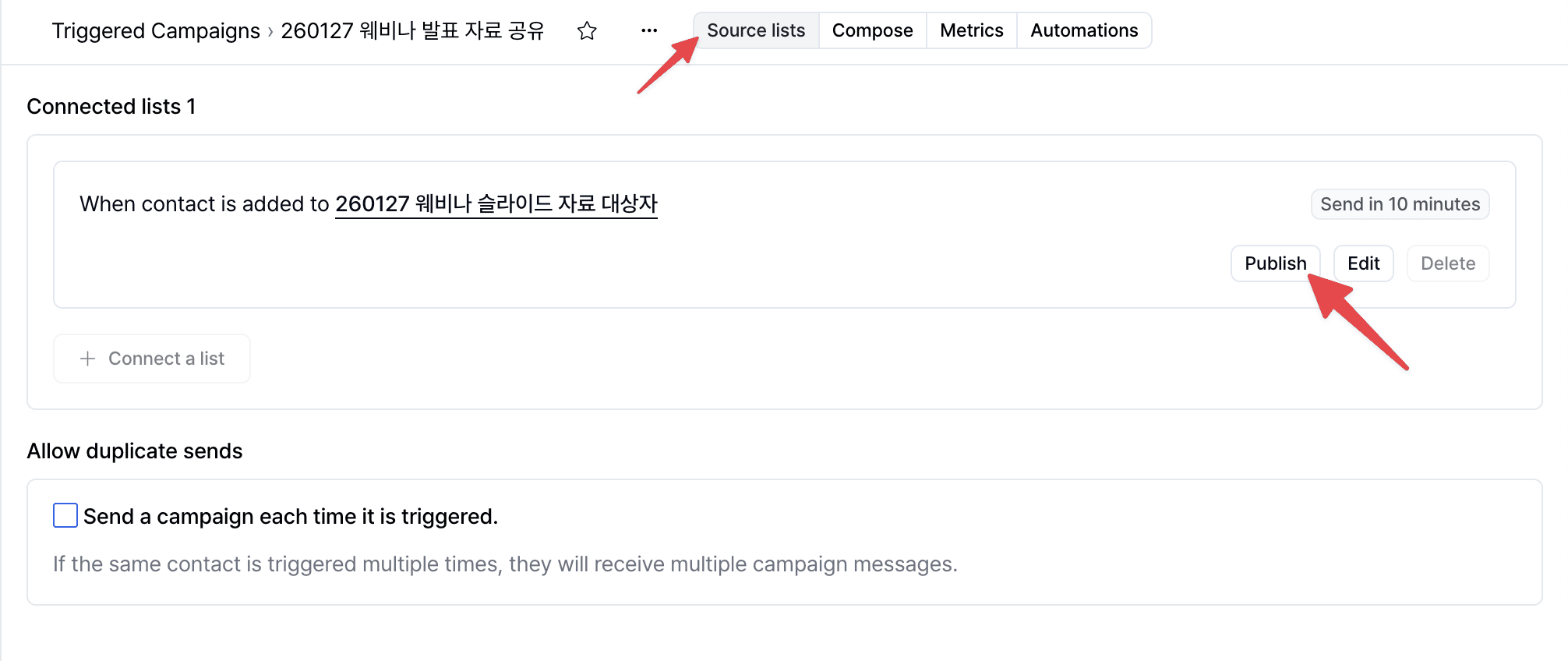
To generate a share link in an triggered campaign: Go to the detail page of the triggered campaign > ‘Source lists‘ tab > click the ‘Publish‘ button.
Feature Improvements & Enhancements
1. Import
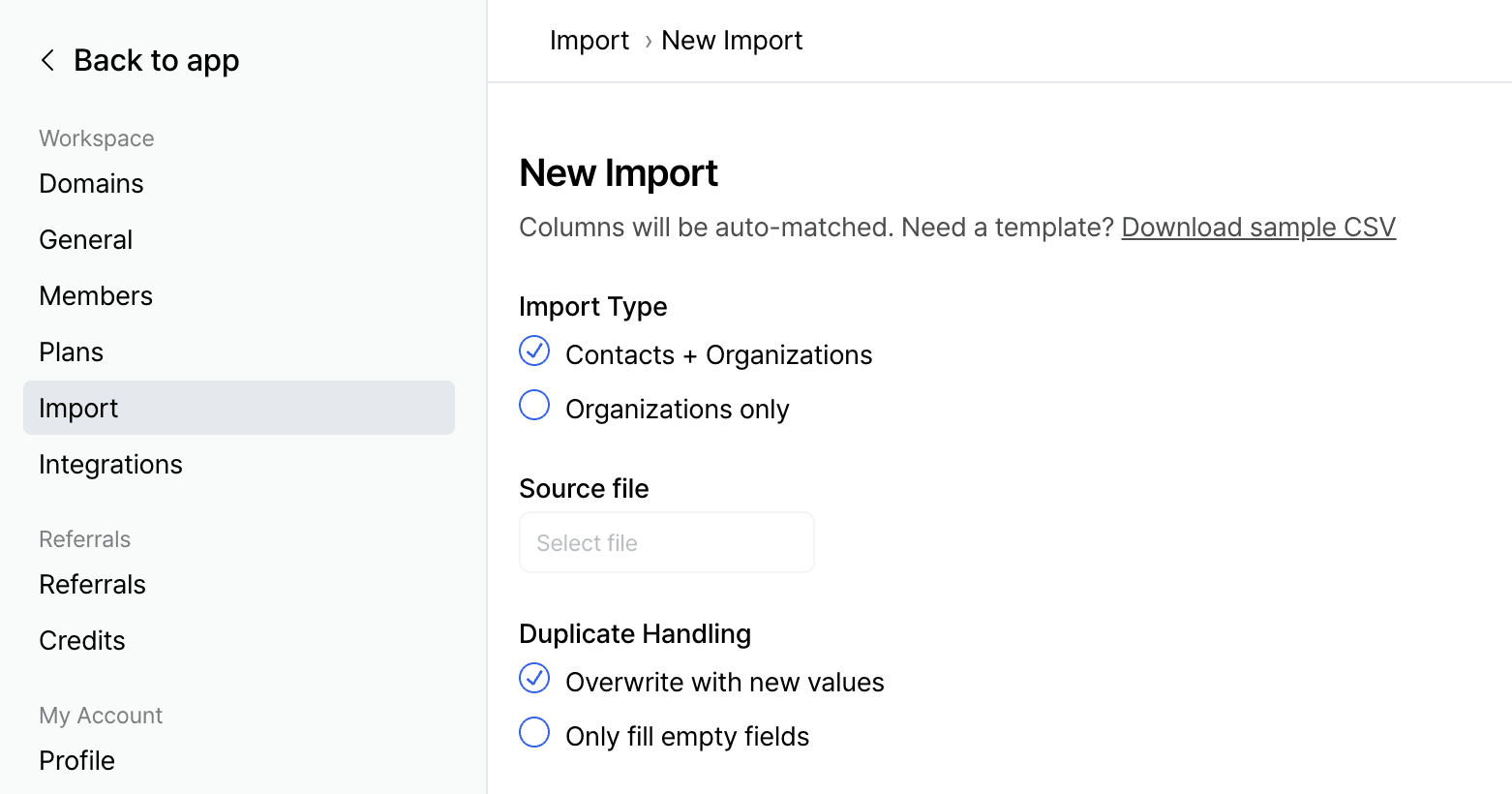
When you upload a CSV or Excel file, AI automatically understands the structure of the data, making it easy to import your customer data into Relate/Spread. There is no need to manually map columns or set up fields in advance.
You can import contacts and organizations together or choose to import organizations only. Duplicate handling options, as well as list and process entry imports, are also supported. This enables faster and more accurate data migration.
2. Export
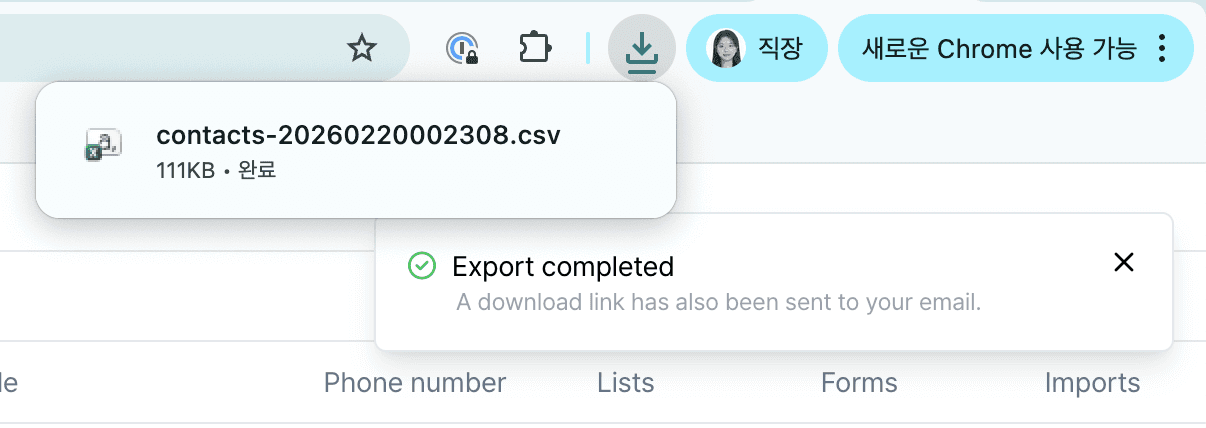
You can export data stored in Relate/Spread as a CSV file. Export is now supported for contacts, organizations, processes, and lists.
Exports reflect the current filter, sort, and display field settings shown on your screen. A ‘Export as CSV‘ option is available directly on each page, making data extraction more convenient and flexible.
3. Mail Merge Default Values and Custom Field Support in Spread
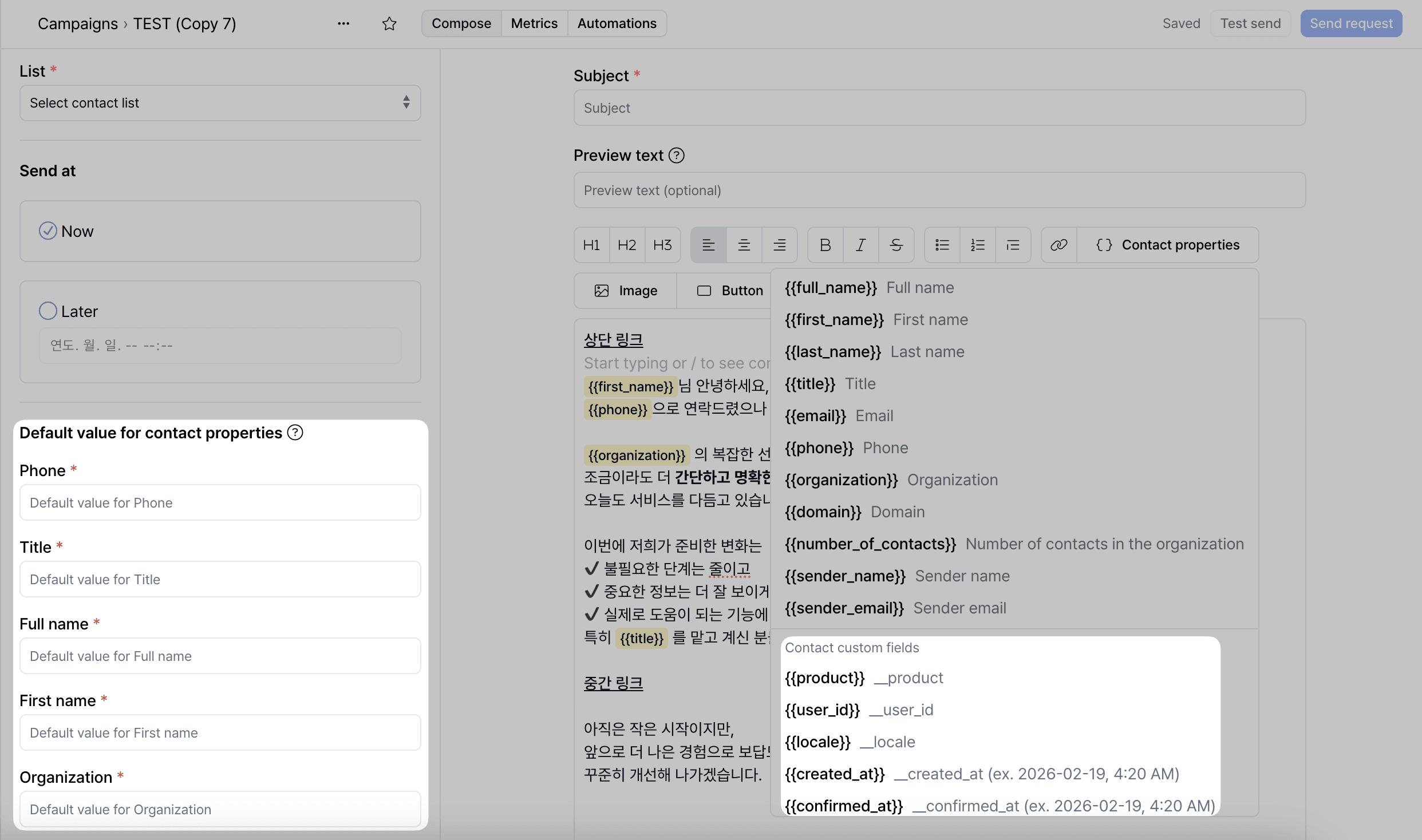
You can set default values for contact properties in the left panel of the ‘Compose‘ tap. If a mail merge field is empty, the default value will be automatically applied at the time of sending, ensuring more reliable email delivery.
You can also insert your custom fields into mail merge fields, enabling more precise personalization.
4. Additional Improvements
Workspace users can now be deactivated without being deleted.
Slack webhooks can now be configured per form.
On each contact page, you can view bounce and subscription status together, along with sequence send status and step details in the timeline.
Spread now supports multiple sending domains, allowing you to add and manage them.
Form response data can now be directly converted into process entries at the Organization level.
The mail merge input experience has been improved to help prevent formatting errors.
Relate & Spread: Continually Evolving
Starting with this update, Relate/Spread will continue expanding its AI-powered capabilities. Upcoming features include intelligent recommendations for contacts that require follow-up, with more enhancements to be introduced gradually.
We look forward to bringing you more advanced updates soon!