> ## Documentation Index
> Fetch the complete documentation index at: https://relate.so/docs/llms.txt
> Use this file to discover all available pages before exploring further.
# Manage members
> Learn how to invite and manage members of your team.
 ## Overview
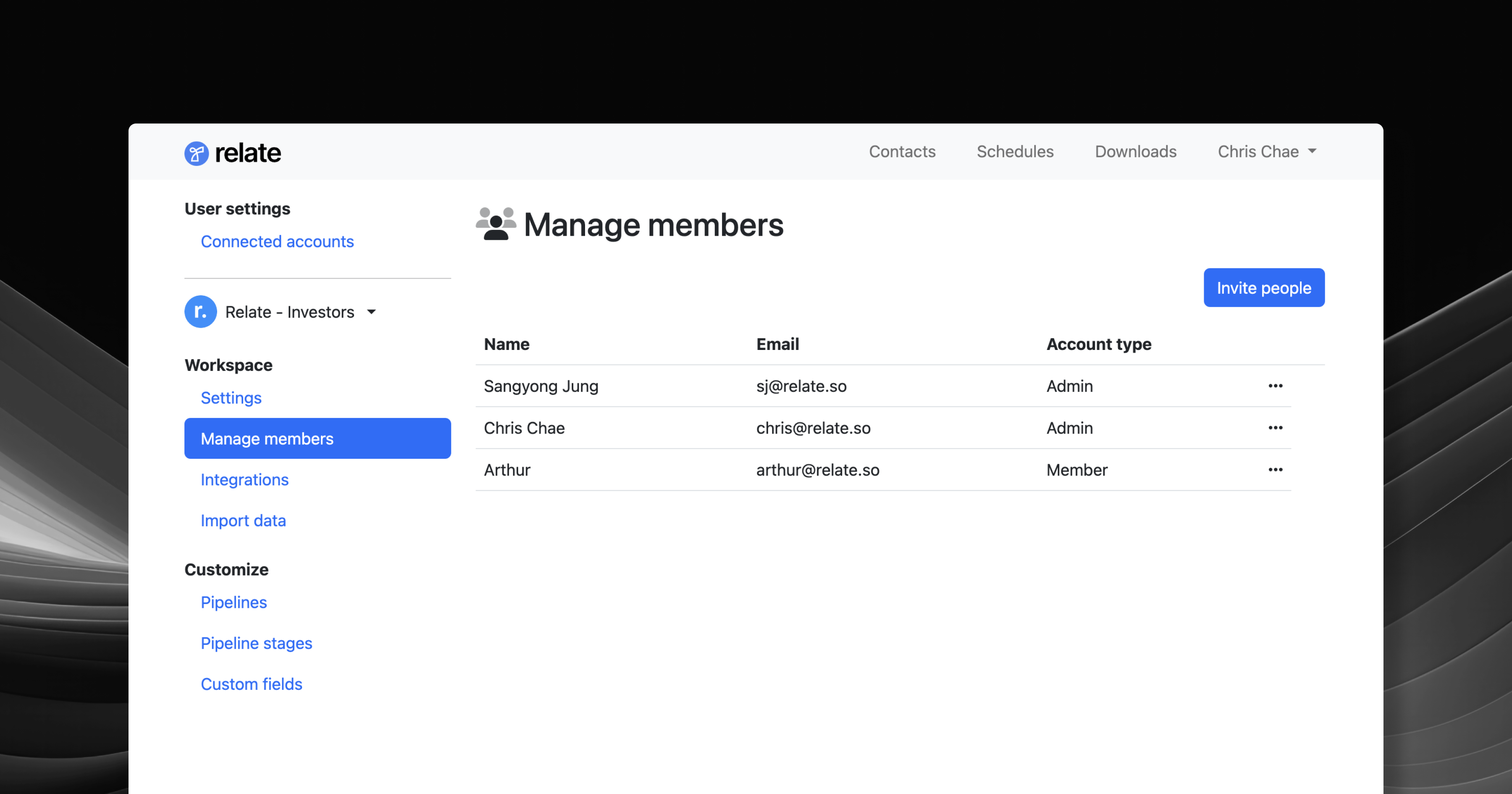
You can manually invite, change role, and remove members from your Workspace members settings page.
To access the Members page:
* In browser: Go to [Relate admin page](https://admin.relate.so/) > Manage members.
* In app: Click your Workspace name and navigate to `Manage members`.
## Understanding roles
Relate has three roles within members:
* Admin (paid)
* Member (paid)
* Guest (free)
**Admins** have **full access** to the Workspace. **Admins can also edit/delete comments and notes created by other members.** Only admins can configure settings in the Admin page as well.
**Members** also have **full access** to the Workspace, **except for edit/delete comments and notes created by other members**. Members can only edit/delete comments and notes created by themselves.
Guests have **full view access** to the Workspace. They can only comment on notes and emails. They cannot create, edit, or delete things.
## Basics
### Invite members
Go to the [Admin page](https://admin.relate.so/) > Manage members to invite members to your Workspace.
The invitee will receive an email from `hello@relate.so`. Once the invitee confirms the invite, they can sign up and get access to your Workspace.
### Promote/demote members
As an admin, you can promote or demote any members in your Workspace. Click the `...` on the right to change role for each member.
### Remove members
As an admin, you can remove any member in your Workspace. Removing another admin or member (paid seats) will adjust your billing accordingly.
If you're on free plan, then removing or adding members will not change your billing.
## Frequently Asked Questions
Yes. Our current plans charge by the number of admin and member seats, so if your purchased seats change, we will automatically adjust our billing accordingly.
## Overview
You can manually invite, change role, and remove members from your Workspace members settings page.
To access the Members page:
* In browser: Go to [Relate admin page](https://admin.relate.so/) > Manage members.
* In app: Click your Workspace name and navigate to `Manage members`.
## Understanding roles
Relate has three roles within members:
* Admin (paid)
* Member (paid)
* Guest (free)
**Admins** have **full access** to the Workspace. **Admins can also edit/delete comments and notes created by other members.** Only admins can configure settings in the Admin page as well.
**Members** also have **full access** to the Workspace, **except for edit/delete comments and notes created by other members**. Members can only edit/delete comments and notes created by themselves.
Guests have **full view access** to the Workspace. They can only comment on notes and emails. They cannot create, edit, or delete things.
## Basics
### Invite members
Go to the [Admin page](https://admin.relate.so/) > Manage members to invite members to your Workspace.
The invitee will receive an email from `hello@relate.so`. Once the invitee confirms the invite, they can sign up and get access to your Workspace.
### Promote/demote members
As an admin, you can promote or demote any members in your Workspace. Click the `...` on the right to change role for each member.
### Remove members
As an admin, you can remove any member in your Workspace. Removing another admin or member (paid seats) will adjust your billing accordingly.
If you're on free plan, then removing or adding members will not change your billing.
## Frequently Asked Questions
Yes. Our current plans charge by the number of admin and member seats, so if your purchased seats change, we will automatically adjust our billing accordingly.