> ## Documentation Index
> Fetch the complete documentation index at: https://relate.so/docs/llms.txt
> Use this file to discover all available pages before exploring further.
# Export
> Exporting Relate data as CSV
## Overview
Here's how to export data stored in Relate as a .CSV file. You can export data using the Basic Table in the Reporting page.
## Deal Export
If you want to export deal information, you can download from the [Reporting page](https://app.relate.so/reporting).
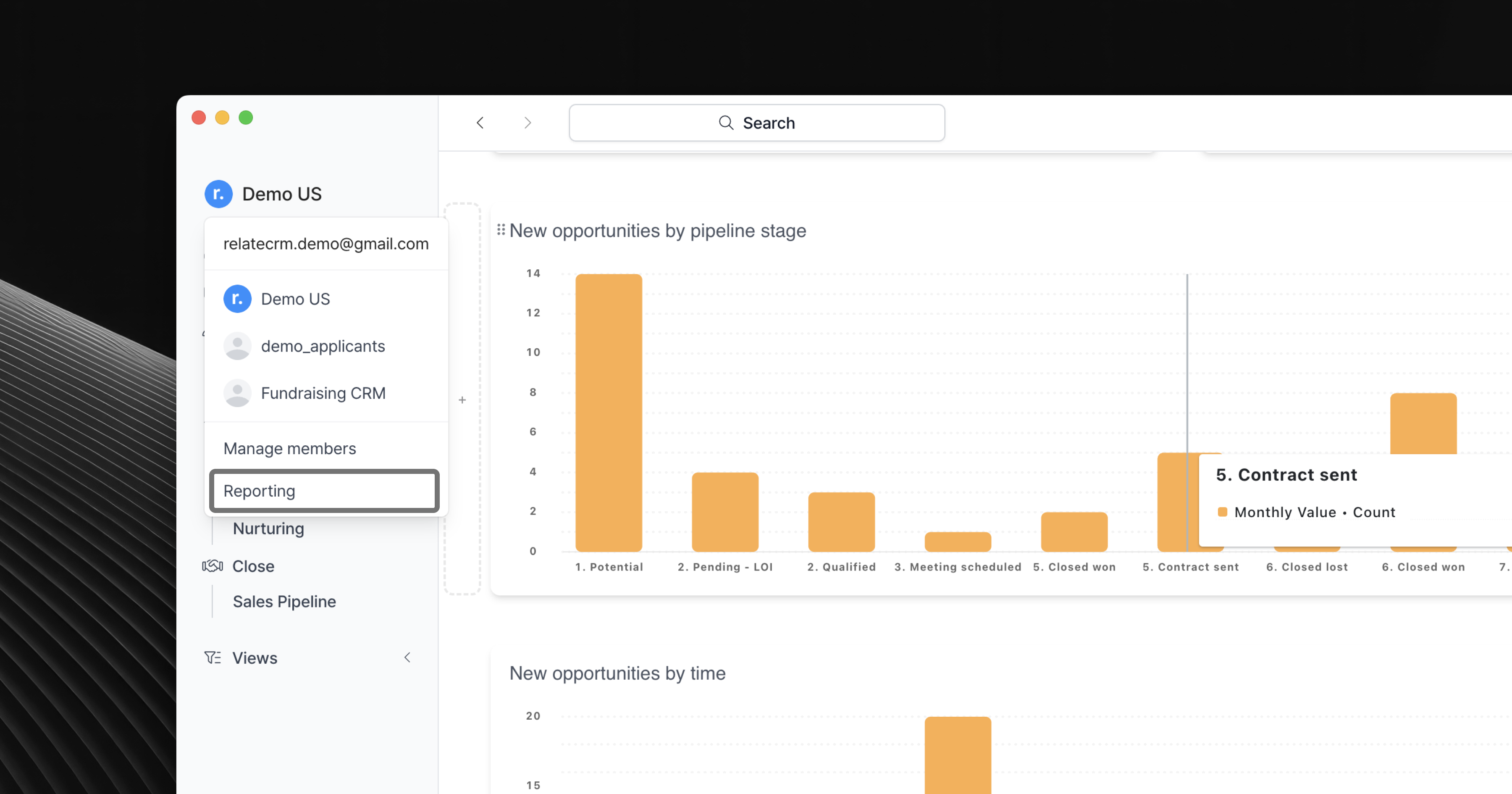 Deal exports include the following information:
* All information contained in the deal card (including custom fields)
* Organization and contact data associated with the deal card (including custom fields)
In the Reporting page, you can create a new Basic Table to add the information you want to export. You can then save it as a CSV file to download.
Deal exports include the following information:
* All information contained in the deal card (including custom fields)
* Organization and contact data associated with the deal card (including custom fields)
In the Reporting page, you can create a new Basic Table to add the information you want to export. You can then save it as a CSV file to download.
## Organization & Contact Export
You can export Organization and People information the same way you export deals. Just replace the data set with Organization or Contact.
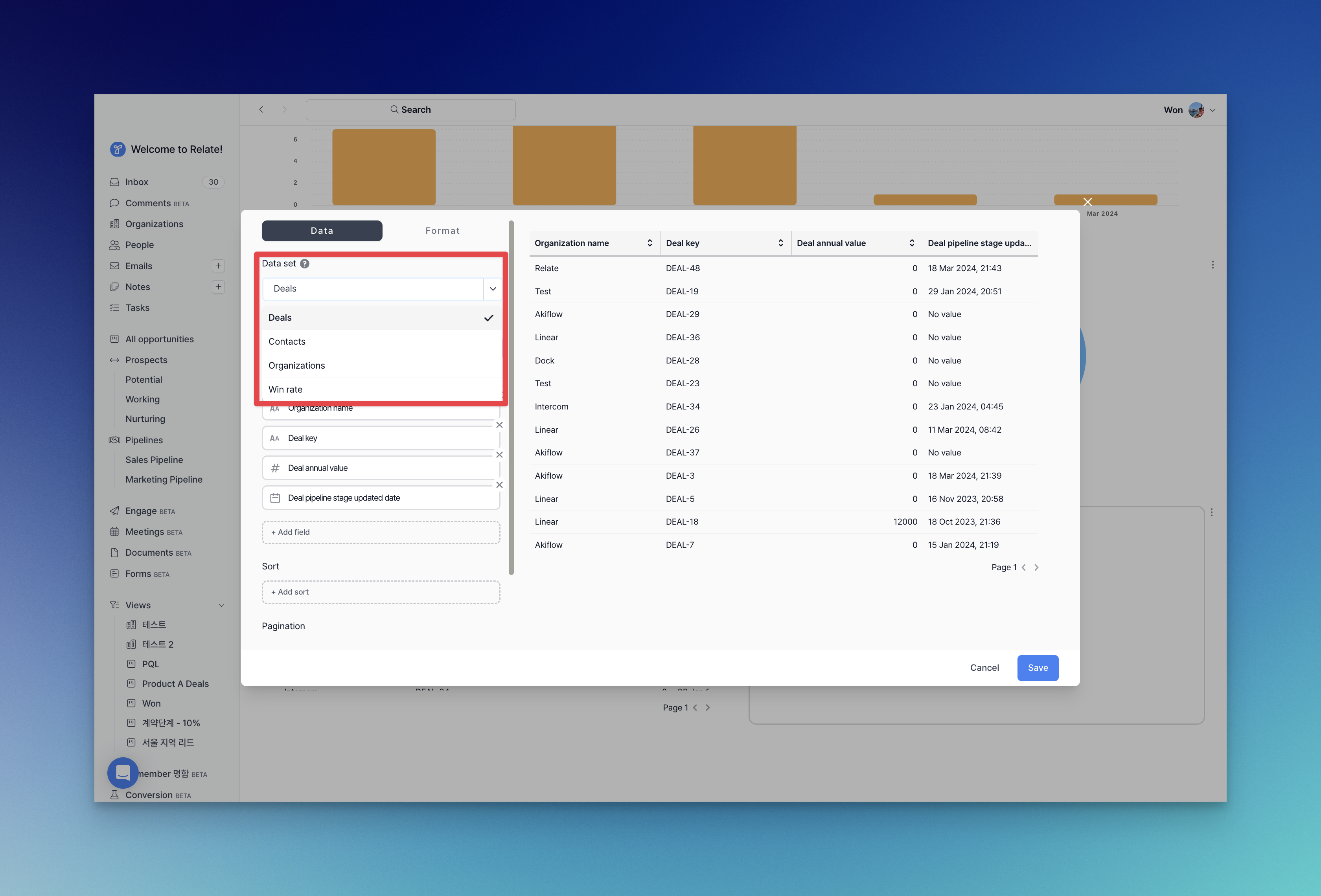 Organization exports include the following information:
* All information attached to the Organization, including custom fields.
Contact exports include the following information:
* All information attached to Contact (including custom fields)
* Default fields in Organization attached to Contact (excluding Organization custom fields)
Organization exports include the following information:
* All information attached to the Organization, including custom fields.
Contact exports include the following information:
* All information attached to Contact (including custom fields)
* Default fields in Organization attached to Contact (excluding Organization custom fields)