> ## Documentation Index
> Fetch the complete documentation index at: https://relate.so/docs/llms.txt
> Use this file to discover all available pages before exploring further.
# Learn the model
> Learn about the basic concepts of Relate CRM.
 ## Basic concepts
Relate is a multi-workspace (and multi-user) CRM and each **workspace** has its own set of [Organizations](/features/organizations), [People](/features/people), and [Deals](/features/deals).
### Organizations/People
An organization is a company that you are working with. They can be a prospect (lead), customer, or previous customers.
A person (people) is part of the organization. They are "contacts" which store information such as names, email addresses, phone numbers, titles, positions, etc.
### Deals/Pipeline
**Deals are the core means to track sales in Relate**. Every other concepts such as Organization and People are *connected* to deals and they represent *who* you're engaging with in a deal.
As such, each deal represents a sales opportunity. So you can have multiple deals within an organization.
Note that deals are always tied to an organization.
Deals have ID (e.g., `DEAL-1234`) - this makes it easier to discuss a specific deal with your team and easier to reference.
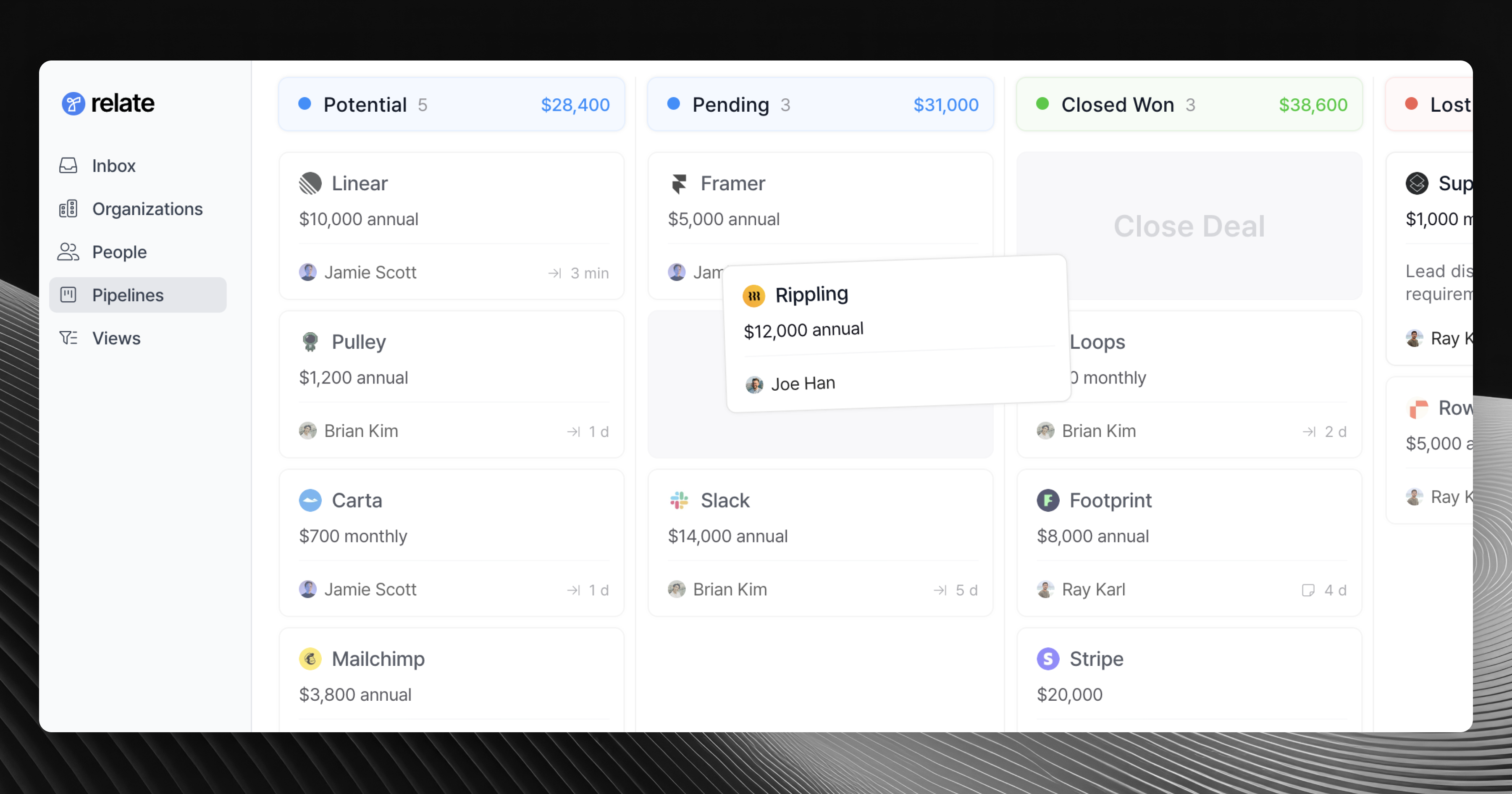
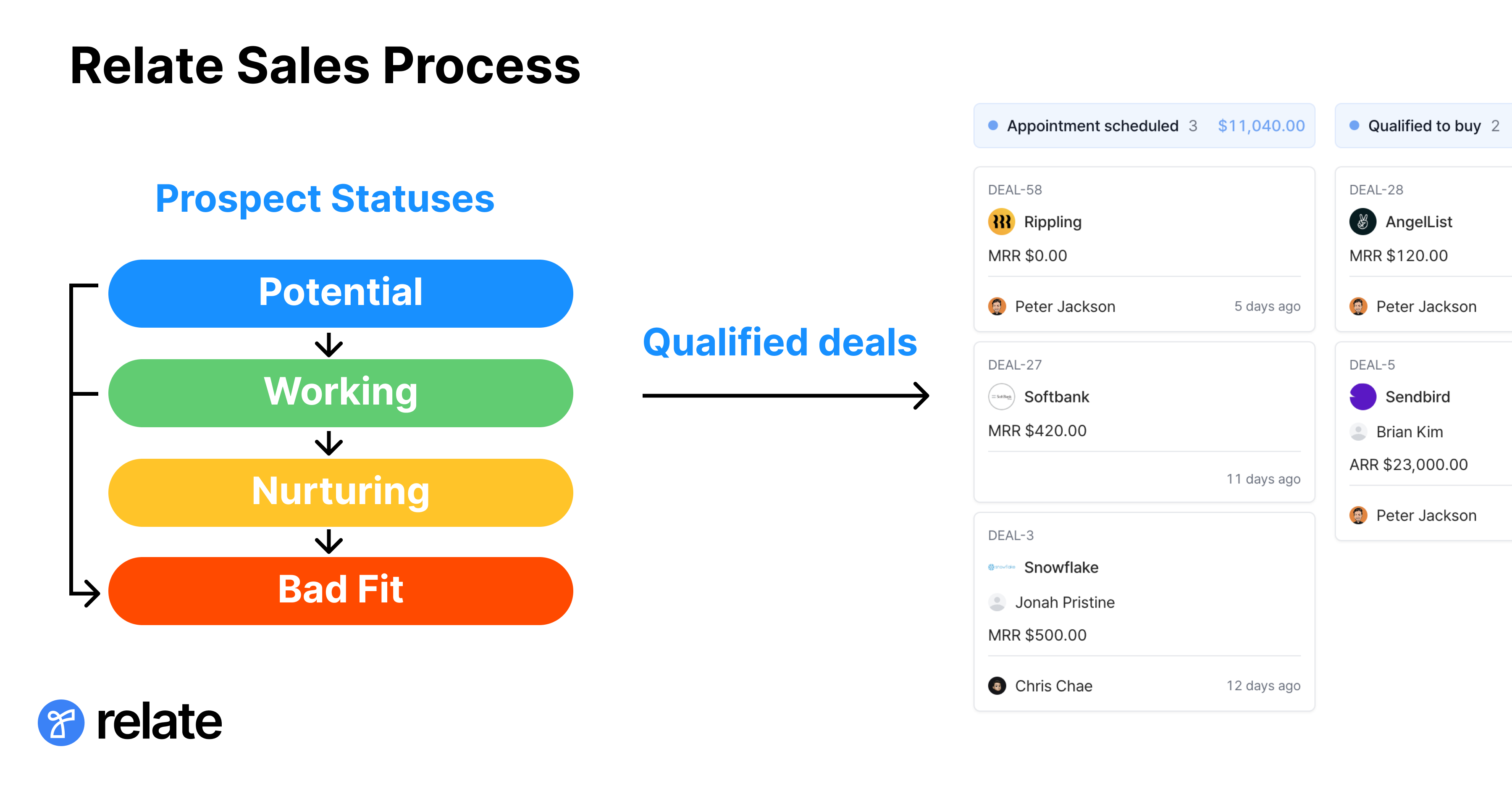
Lastly, each deal follows a prospect status and once a deal gets marked as `Qualified` then it is automatically added to the pipeline for closing.
Currently, you can create a deal directly from the pipeline as well. This will automatically mark it as `Qualified`, ready for closing in the pipeline.
See below diagram for reference.
## Basic concepts
Relate is a multi-workspace (and multi-user) CRM and each **workspace** has its own set of [Organizations](/features/organizations), [People](/features/people), and [Deals](/features/deals).
### Organizations/People
An organization is a company that you are working with. They can be a prospect (lead), customer, or previous customers.
A person (people) is part of the organization. They are "contacts" which store information such as names, email addresses, phone numbers, titles, positions, etc.
### Deals/Pipeline
**Deals are the core means to track sales in Relate**. Every other concepts such as Organization and People are *connected* to deals and they represent *who* you're engaging with in a deal.
As such, each deal represents a sales opportunity. So you can have multiple deals within an organization.
Note that deals are always tied to an organization.
Deals have ID (e.g., `DEAL-1234`) - this makes it easier to discuss a specific deal with your team and easier to reference.
Lastly, each deal follows a prospect status and once a deal gets marked as `Qualified` then it is automatically added to the pipeline for closing.
Currently, you can create a deal directly from the pipeline as well. This will automatically mark it as `Qualified`, ready for closing in the pipeline.
See below diagram for reference.
 #### Prospect
A prospect is a sales opportunity that is not qualified yet. Sales teams work to qualify the prospect.
Updating prospect status for a deal will move the deal to the respective status list shown in the left navigation menu.
Prospects can have any of below statuses:
* Potential
* Working
* Nurturing
* Bad Fit
* Qualified
Once qualified, the prospect then automatically turns into a closing deal in the pipeline.
To learn more about Prospect feature, see this [guide](/features/prospect).
#### Closing Pipeline
As you work towards closing a sales opportunity, each deal will move through pipelines.
A pipeline is a place where you will actively engage with the customer to close the deal.
You can see more details about the deal (and customer) by clicking each deal card in the pipeline.
In summary, Relate's concepts can be listed as:
* Organization = Companies you are selling to. They can be both prospects and current/lost customers
* Person = People that work for the companies you're selling to.
* Deal = Sales opportunity
#### Prospect
A prospect is a sales opportunity that is not qualified yet. Sales teams work to qualify the prospect.
Updating prospect status for a deal will move the deal to the respective status list shown in the left navigation menu.
Prospects can have any of below statuses:
* Potential
* Working
* Nurturing
* Bad Fit
* Qualified
Once qualified, the prospect then automatically turns into a closing deal in the pipeline.
To learn more about Prospect feature, see this [guide](/features/prospect).
#### Closing Pipeline
As you work towards closing a sales opportunity, each deal will move through pipelines.
A pipeline is a place where you will actively engage with the customer to close the deal.
You can see more details about the deal (and customer) by clicking each deal card in the pipeline.
In summary, Relate's concepts can be listed as:
* Organization = Companies you are selling to. They can be both prospects and current/lost customers
* Person = People that work for the companies you're selling to.
* Deal = Sales opportunity