> ## Documentation Index
> Fetch the complete documentation index at: https://relate.so/docs/llms.txt
> Use this file to discover all available pages before exploring further.
# Keyboard Shortcuts
> Maximize your productivity with our comprehensive keyboard shortcuts. Whether you're navigating, managing deals, or writing notes, these shortcuts will help you work faster and more efficiently.
## **Basics**
These shortcuts apply universally across the platform.
| **Action** | **Shortcut** |
| -------------------------------------- | ----------------------------------- |
| Move down | `↓` or `j` |
| Move up | `↑` or `k` |
| Move left | `←` or `h` |
| Move right | `→` or `l` |
| Exit (may not apply in certain modals) | `esc` |
| Submit comment | `command + return` / `ctrl + enter` |
## **Search & Command Bar**
Access the search and command bar instantly.
| **Action** | **Shortcut** |
| ------------------------- | -------------------- |
| Open search & command bar | `command (ctrl) + k` |
## [**Inbox**](https://www.relate.so/docs/features/inbox)
Archive or unarchive your Inbox items to get them organized.
| **Action** | **Shortcut** |
| ---------- | ------------ |
| Archive | `e` |
| Unarchive | `u` |
### **Deal header actions**
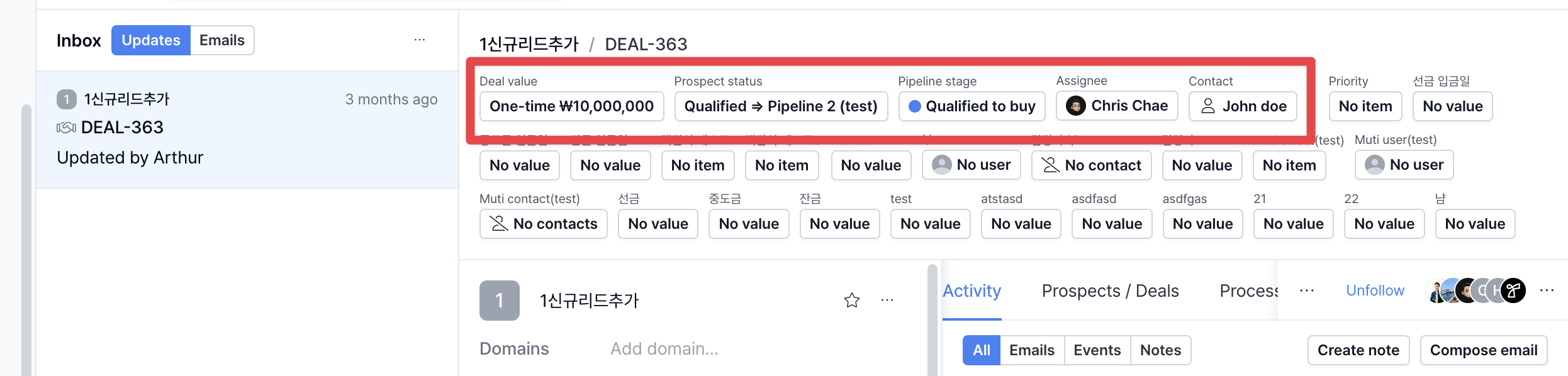 Quickly update each item from your Inbox with these shortcuts:
| **Action** | **Shortcut** |
| -------------------------------------------------------------------------- | ------------ |
| Set deal value | `v` |
| Set [prospect status](https://www.relate.so/docs/features/prospect-status) | `p` |
| Set pipeline stage | `shift + p` |
| Set assignee | `a` |
| Set contact | `c` |
## [**Organizations**](https://www.relate.so/docs/features/organizations)
Quickly update each item from your Inbox with these shortcuts:
| **Action** | **Shortcut** |
| -------------------------------------------------------------------------- | ------------ |
| Set deal value | `v` |
| Set [prospect status](https://www.relate.so/docs/features/prospect-status) | `p` |
| Set pipeline stage | `shift + p` |
| Set assignee | `a` |
| Set contact | `c` |
## [**Organizations**](https://www.relate.so/docs/features/organizations)
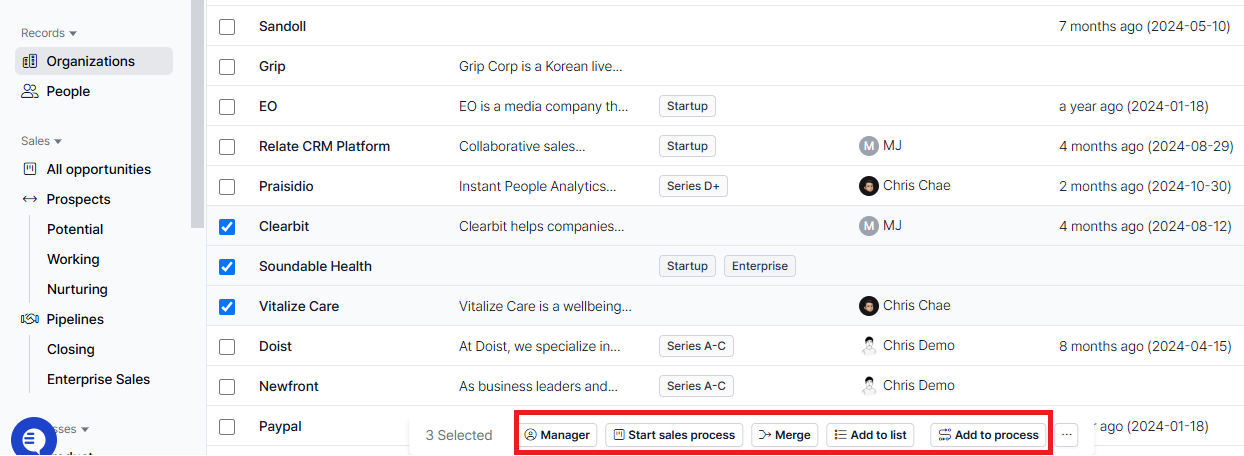 Select one or more organizations and manage them with ease.
| **Action** | **Shortcut** |
| ------------------- | ------------ |
| Set manager | `m` |
| Start sales process | `s` |
| Merge | `shift + m` |
| Add to list | `shift + l` |
| Add to process | `shift + p` |
## [**People**](https://www.relate.so/docs/features/people)
Select one or more organizations and manage them with ease.
| **Action** | **Shortcut** |
| ------------------- | ------------ |
| Set manager | `m` |
| Start sales process | `s` |
| Merge | `shift + m` |
| Add to list | `shift + l` |
| Add to process | `shift + p` |
## [**People**](https://www.relate.so/docs/features/people)
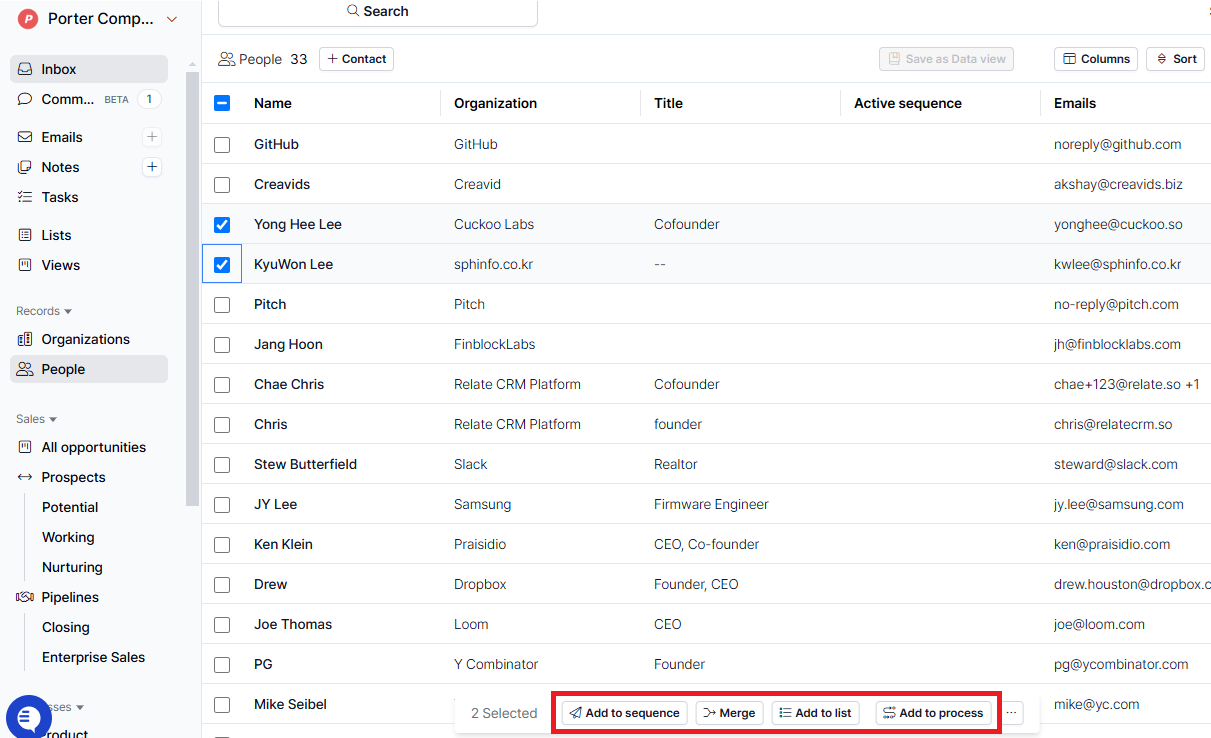 Select one or more contacts and easily perform the following actions:
| **Action** | **Shortcut** |
| --------------------------------------------------------------- | ------------ |
| Add to [sequence](https://www.relate.so/docs/features/sequence) | `s` |
| Merge | `shift + m` |
| Add to list | `shift + l` |
| Add to process | `shift + p` |
## **Process**
### **Entry Details Page**
Select one or more contacts and easily perform the following actions:
| **Action** | **Shortcut** |
| --------------------------------------------------------------- | ------------ |
| Add to [sequence](https://www.relate.so/docs/features/sequence) | `s` |
| Merge | `shift + m` |
| Add to list | `shift + l` |
| Add to process | `shift + p` |
## **Process**
### **Entry Details Page**
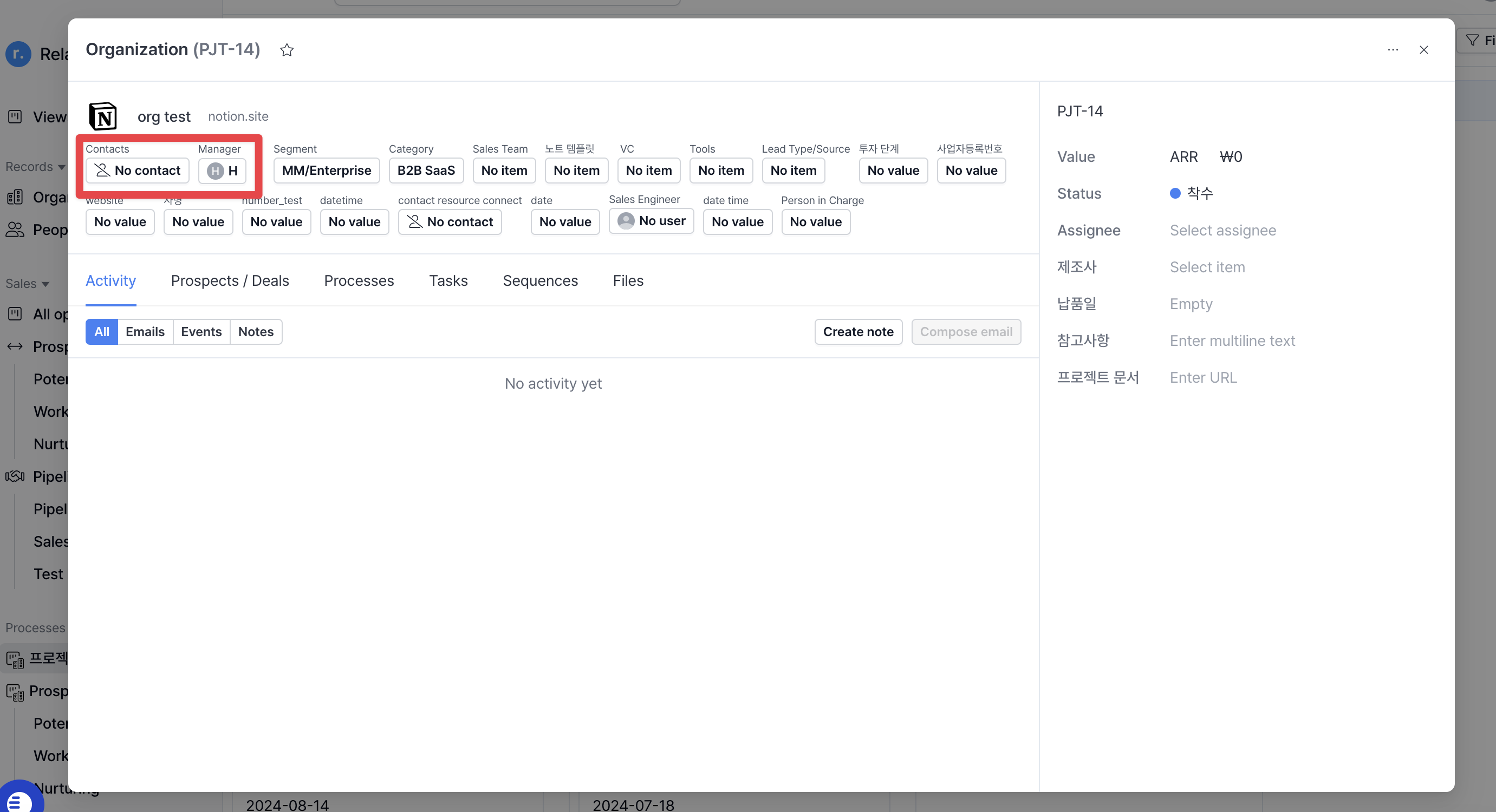 While viewing a process entry, use these shortcuts for quick actions.
| **Action** | **Shortcut** |
| ------------ | ------------ |
| Open contact | `c` |
| Set manager | `m` |
### **List View**
While viewing a process entry, use these shortcuts for quick actions.
| **Action** | **Shortcut** |
| ------------ | ------------ |
| Open contact | `c` |
| Set manager | `m` |
### **List View**
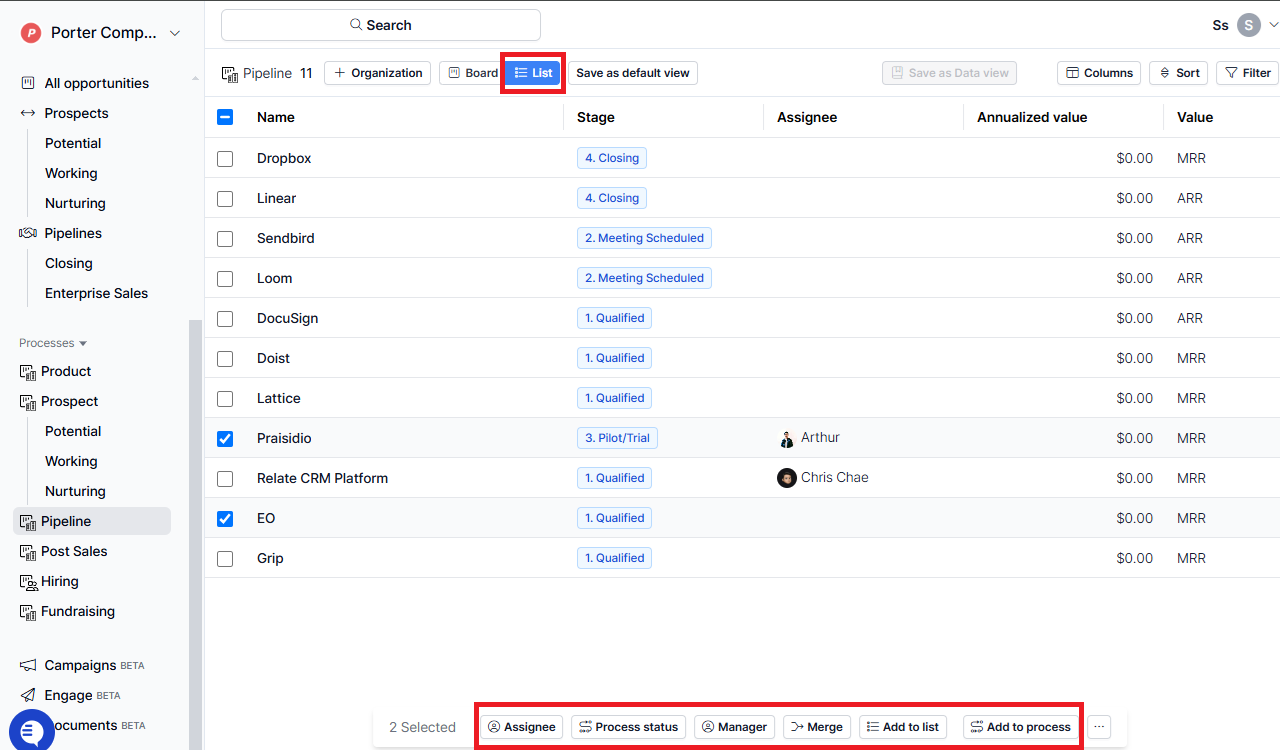 Select one or more entries from the list view and update their settings.
| **Action** | **Shortcut** |
| ------------------ | ------------------------------- |
| Set assignee | `a` |
| Set process status | `p` |
| Set manager | `m` (organization process only) |
| Add to sequence | `s` (contact process only) |
| Merge | `shift + m` |
| Add to list | `shift + l` |
| Add to process | `shift + p` |
### **Command Bar Actions**
* **Search**
* Organizations/People: Search by name, email, or text-based custom fields.
* Prospects: Search organizations in the prospect stage.
* Deals: Search deals in the pipeline.
* [**Email**](https://www.relate.so/docs/features/email)
* Compose email: Write a new email.
* Create email template: Generate a new email template.
* [**Notes**](https://www.relate.so/docs/features/notes)
* Create note: Start a new note.
* Create note template: Generate a note template.
## **Slash Commands**
Use `/` when drafting notes or campaigns to format content effortlessly.
### **Notes**
* Heading 1, 2, 3, 4
* Bulleted list
* Numbered list
* Blockquote
* Code block
* Table
### **Campaigns**
* Heading 1, 2, 3
* Bulleted list
* Numbered list
* Blockquote
* Image
* Button
* Footer
Unlock the full potential of [Relate](https://www.relate.kr/)'s keyboard shortcuts for a seamless workflow. Start selling smarter today!
Select one or more entries from the list view and update their settings.
| **Action** | **Shortcut** |
| ------------------ | ------------------------------- |
| Set assignee | `a` |
| Set process status | `p` |
| Set manager | `m` (organization process only) |
| Add to sequence | `s` (contact process only) |
| Merge | `shift + m` |
| Add to list | `shift + l` |
| Add to process | `shift + p` |
### **Command Bar Actions**
* **Search**
* Organizations/People: Search by name, email, or text-based custom fields.
* Prospects: Search organizations in the prospect stage.
* Deals: Search deals in the pipeline.
* [**Email**](https://www.relate.so/docs/features/email)
* Compose email: Write a new email.
* Create email template: Generate a new email template.
* [**Notes**](https://www.relate.so/docs/features/notes)
* Create note: Start a new note.
* Create note template: Generate a note template.
## **Slash Commands**
Use `/` when drafting notes or campaigns to format content effortlessly.
### **Notes**
* Heading 1, 2, 3, 4
* Bulleted list
* Numbered list
* Blockquote
* Code block
* Table
### **Campaigns**
* Heading 1, 2, 3
* Bulleted list
* Numbered list
* Blockquote
* Image
* Button
* Footer
Unlock the full potential of [Relate](https://www.relate.kr/)'s keyboard shortcuts for a seamless workflow. Start selling smarter today!