> ## Documentation Index
> Fetch the complete documentation index at: https://relate.so/docs/llms.txt
> Use this file to discover all available pages before exploring further.
# Relate Sequence Beta
> Relate Sequence lets you send multi-day sequence emails automatically.
 ## Overview
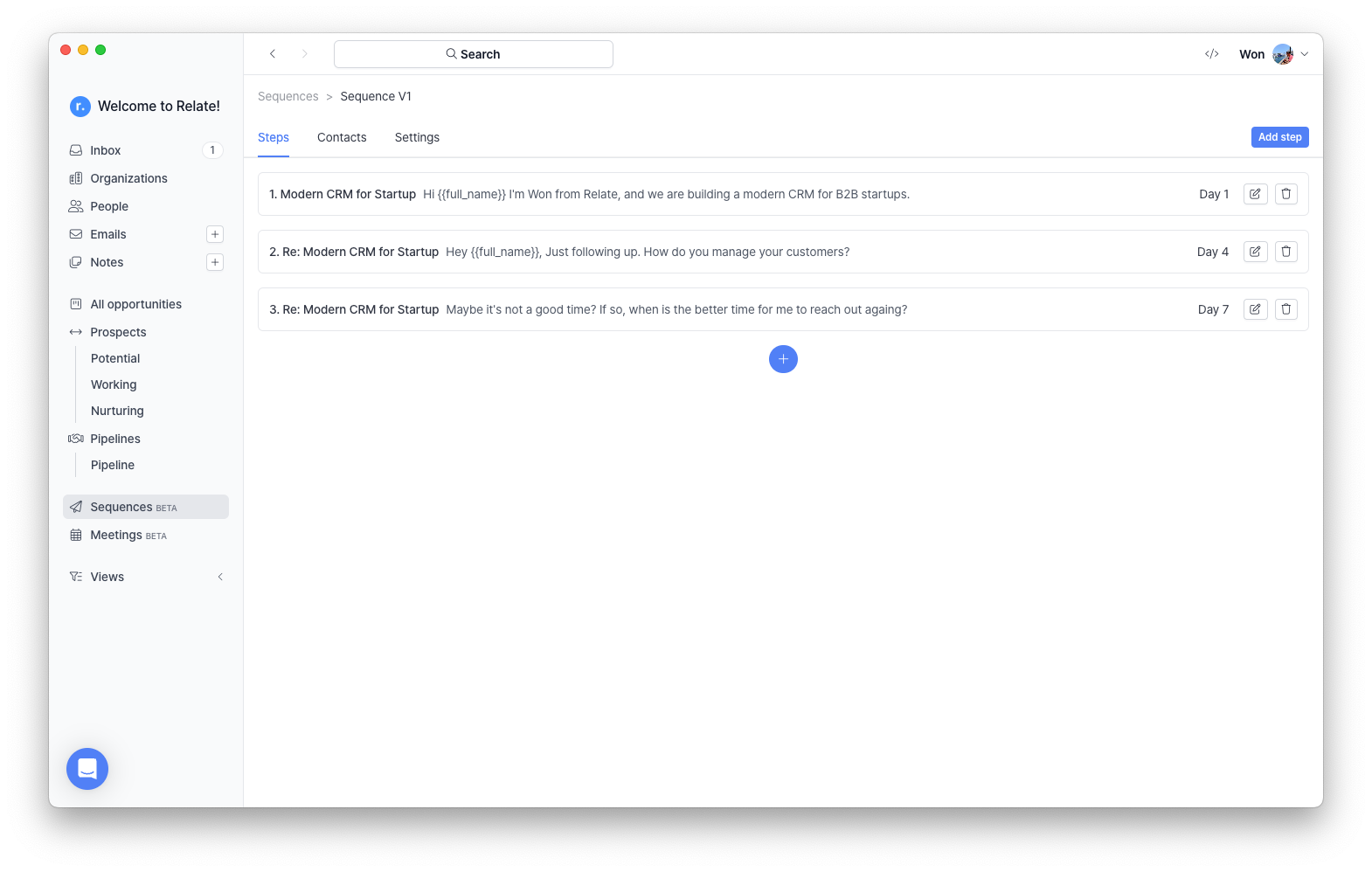
You can now build multi-day email sequences with Relate Sequence. Relate Sequence Beta is a simple email automation tool designed for B2B startups and is now available to all Relate paid users during beta.
## Beta update
Relate Sequence beta is not yet appropriate for sending large volumes of cold emails but rather for automatically sending follow-up emails to a small batch of customers. For example, you can use Relate Sequence beta for the following purposes:
* You want to automatically follow up a sales opportunity in the pipeline.
* You want to automatically follow up on inbound leads.
## How to use Relate Sequence
## Overview
You can now build multi-day email sequences with Relate Sequence. Relate Sequence Beta is a simple email automation tool designed for B2B startups and is now available to all Relate paid users during beta.
## Beta update
Relate Sequence beta is not yet appropriate for sending large volumes of cold emails but rather for automatically sending follow-up emails to a small batch of customers. For example, you can use Relate Sequence beta for the following purposes:
* You want to automatically follow up a sales opportunity in the pipeline.
* You want to automatically follow up on inbound leads.
## How to use Relate Sequence
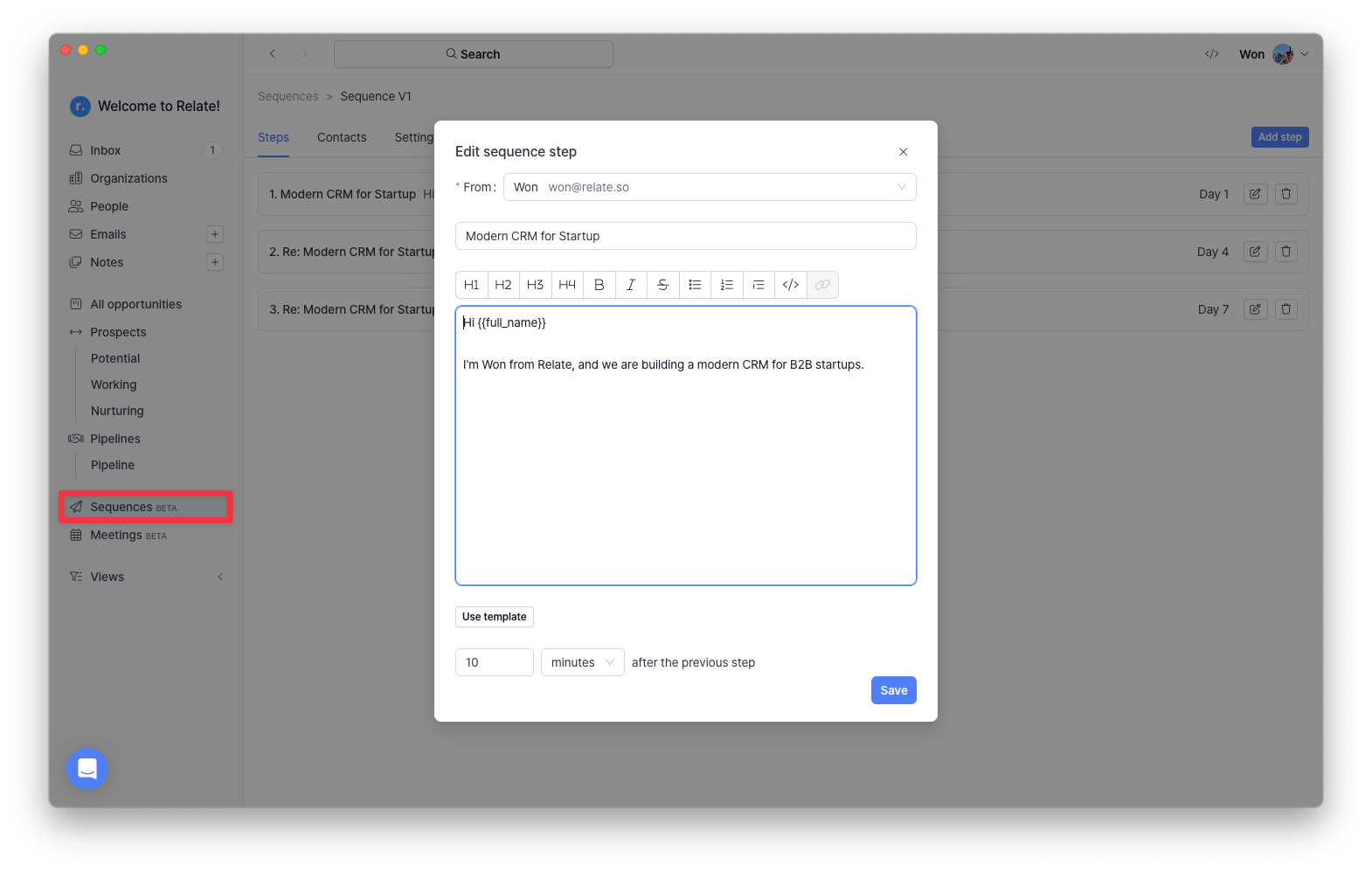 To use the Relate Sequence beta, click the Sequnces (beta) tab on the left main navigation menu.
Then, create a sequence, add emails steps using email templates and variables, and add contacts the sequence.
### Using variables
To use the Relate Sequence beta, click the Sequnces (beta) tab on the left main navigation menu.
Then, create a sequence, add emails steps using email templates and variables, and add contacts the sequence.
### Using variables
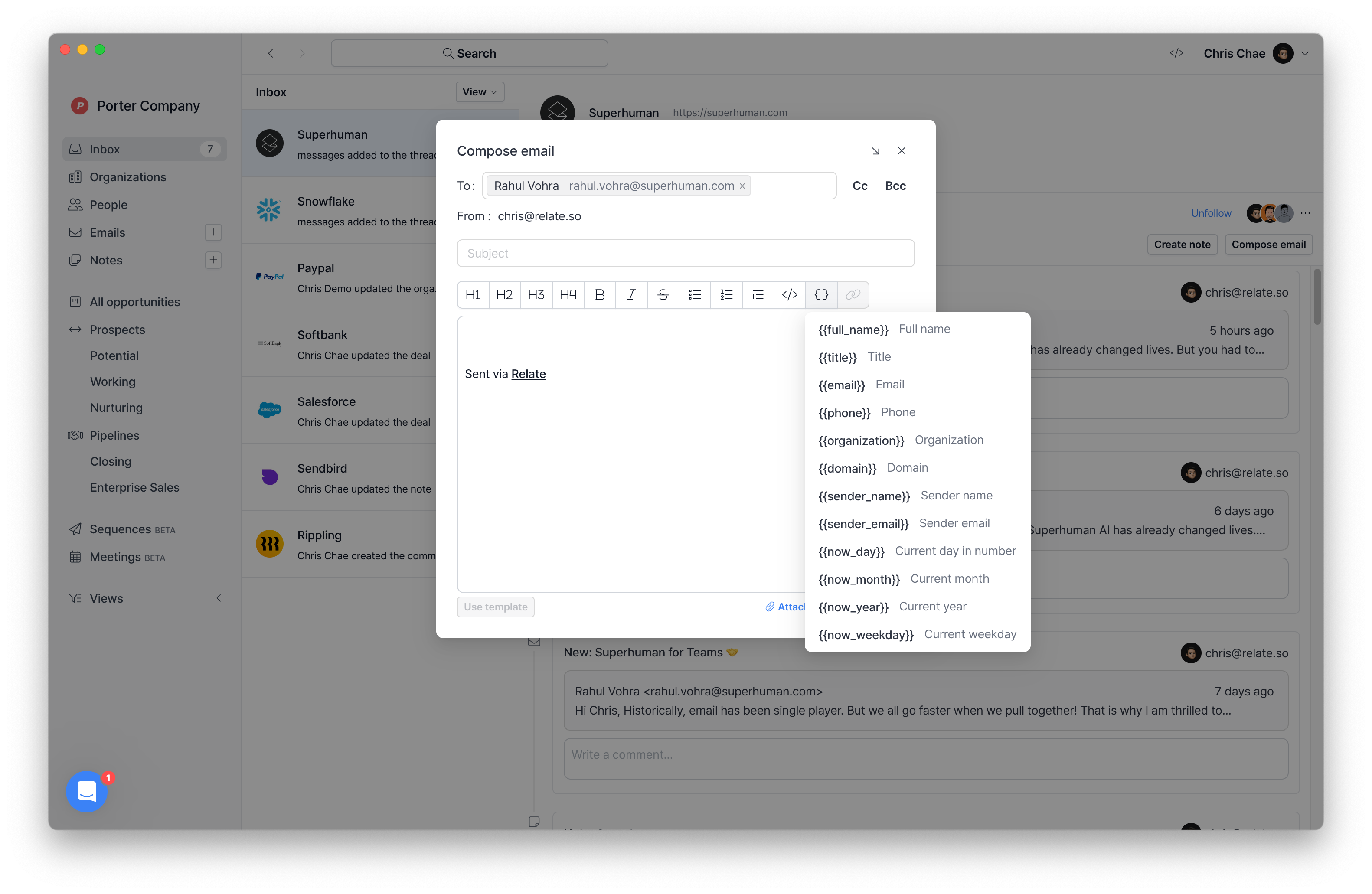 Variables (also known as "mail merge") makes it easier and faster to send emails from a sequence or manually. Here are the variables we currently support:
* `{{full_name}}`: Full name
* `{{title}}`: Title
* `{{email}}`: Contact email
* `{{phone}}`: Contact phone number
* `{{organization}}`: Organization name
* `{{domain}}`: URL address of the company
* `{{sender_name}}`: Name of the sender
* `{{sender_email}}`: Sender email
* `{{now_day}}`: Today's date (e.g., "15" if it's 11/15)
* `{{now_month}}`: The current month (e.g., November)
* `{{now_year}}`: The current year (e.g., 2023)
* `{{now_weekday}}`: Weekday (e.g. Wednesday)
## Future update plans
The following features will be added in the next Sequence product:
* Bulk add contacts using various filters in the Organization and/or People
* Send emails with different email address(es)
* Track open rates, click rates, and bounce rates
* Preview emails you will be sending through sequences
Variables (also known as "mail merge") makes it easier and faster to send emails from a sequence or manually. Here are the variables we currently support:
* `{{full_name}}`: Full name
* `{{title}}`: Title
* `{{email}}`: Contact email
* `{{phone}}`: Contact phone number
* `{{organization}}`: Organization name
* `{{domain}}`: URL address of the company
* `{{sender_name}}`: Name of the sender
* `{{sender_email}}`: Sender email
* `{{now_day}}`: Today's date (e.g., "15" if it's 11/15)
* `{{now_month}}`: The current month (e.g., November)
* `{{now_year}}`: The current year (e.g., 2023)
* `{{now_weekday}}`: Weekday (e.g. Wednesday)
## Future update plans
The following features will be added in the next Sequence product:
* Bulk add contacts using various filters in the Organization and/or People
* Send emails with different email address(es)
* Track open rates, click rates, and bounce rates
* Preview emails you will be sending through sequences