> ## Documentation Index
> Fetch the complete documentation index at: https://relate.so/docs/llms.txt
> Use this file to discover all available pages before exploring further.
# How to manage Expected Close Date
> Explains what Expected Close Date is, and how to manage it
## Overview
[Customer Relationship Management (CRM)](https://www.relate.so/blog/what-is-crm/) is a tool that helps you manage customer data. If you're not familiar with CRM tools, you might not know what customer data you need to manage in CRM.
While it can vary by customer type, sales process, and product type, one thing that all teams should manage is Expected Close Date.
In this post, we'll talk about what Expected Close Date is and how to manage it.
## What is Expected Close Date?
Based on the information you've learned from talking to customers, you should be able to determine at what point in the future you can successfully close the deal.
To figure this out, you should ask customers questions about their internal decision-making process and purchasing process. You can use the BANT and MEDDIC frameworks.
BANT is a sales qualification methodology that enables sales reps to
determine how fitting each prospect is based on four factors – budget,
authority or the influence to make a purchasing decision, need for the
product or service and purchase timeline.
MEDDIC is an effective sales qualification method that can help you gather
critical information about your prospects.
## How to manage Expected Close Date
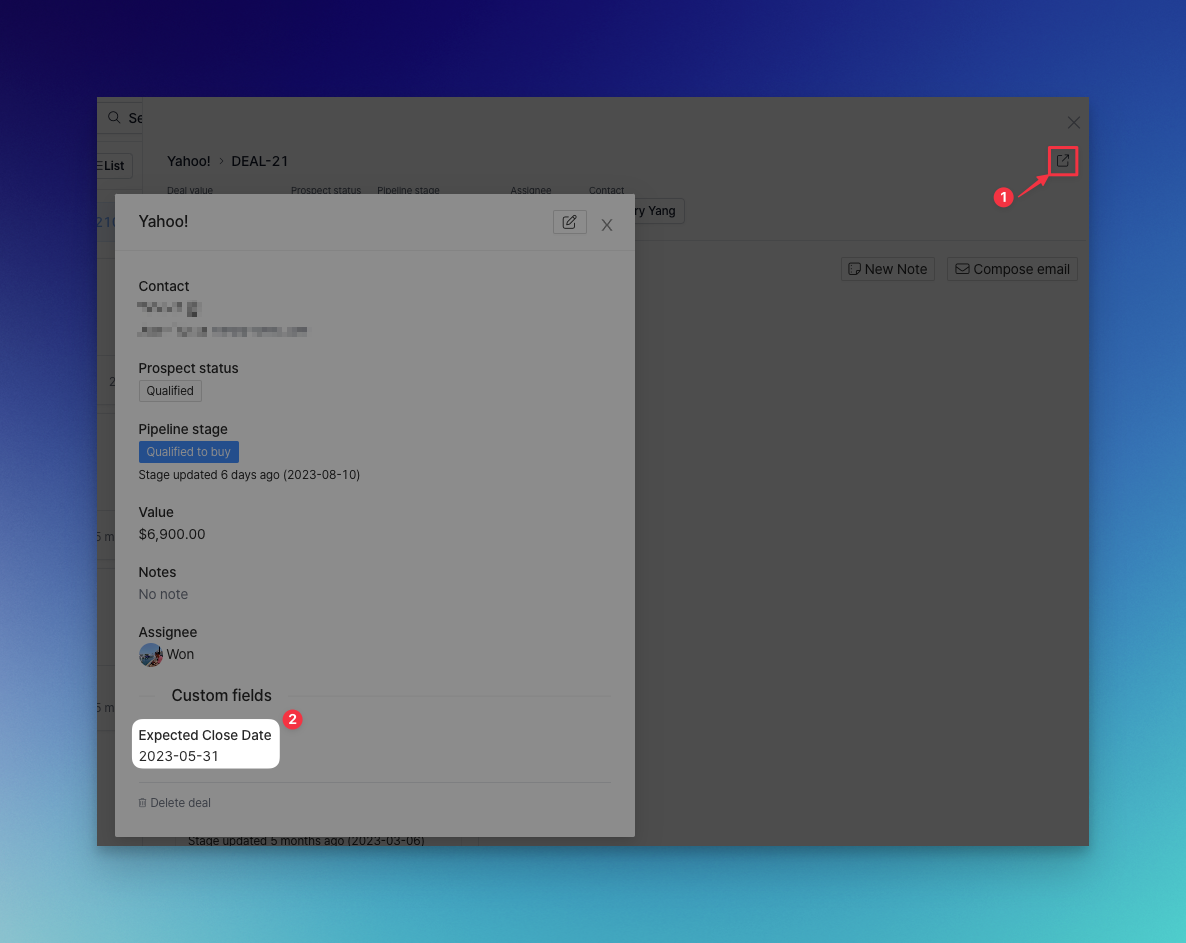
To manage the Expected Close Date, you must first [add a custom field](https://relate.so/docs/features/custom-fields). After adding the custom field, you can specify it on the detail page.
 ## How to use Expected Close Date in sales
Sales reps can use Expected Close Date to prioritize deals. The closer the expected close date is, the higher the priority is.
You can sort by the closest Expected Close Date and use both board and list views.
## How to use Expected Close Date in sales
Sales reps can use Expected Close Date to prioritize deals. The closer the expected close date is, the higher the priority is.
You can sort by the closest Expected Close Date and use both board and list views.
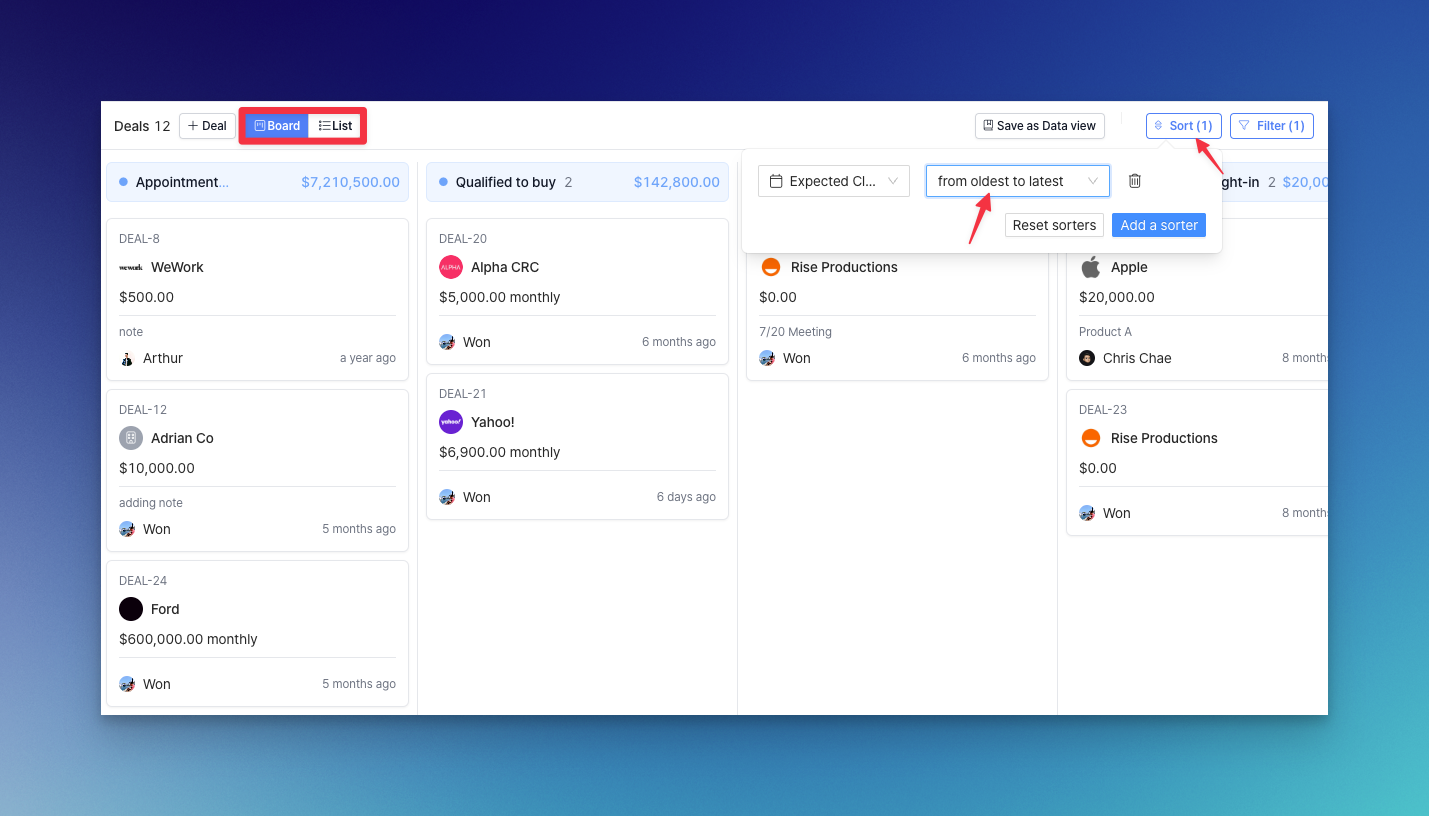 The deals are sorted with the closest Expected Close Date.
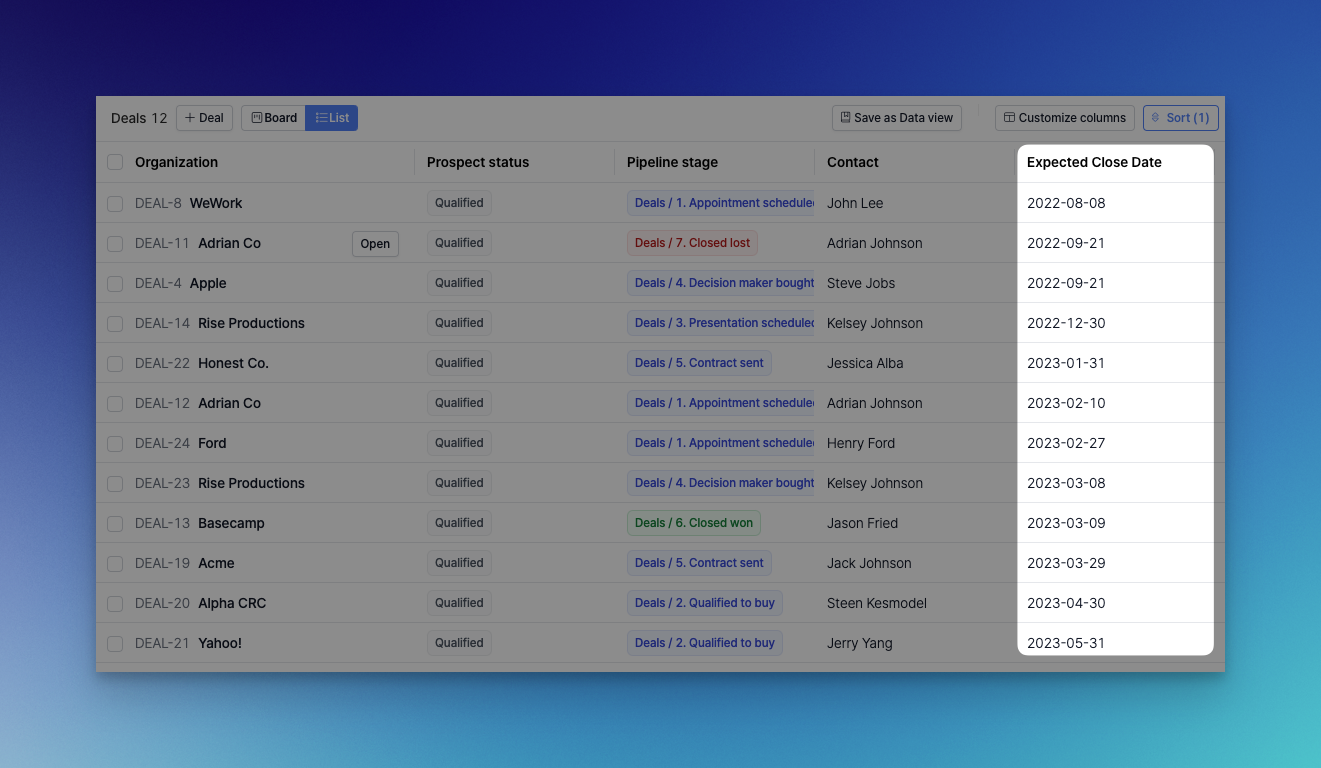 You can see when the Expected Close Date is sorted with the closest deal on top.
Sales reps can use the Expected Close Date to plan and allocate resources to close deals successfully.
In the future, we will also add a reporting/dashboard feature to provide sales forecasting based on the Expected Close Date.
You can see when the Expected Close Date is sorted with the closest deal on top.
Sales reps can use the Expected Close Date to plan and allocate resources to close deals successfully.
In the future, we will also add a reporting/dashboard feature to provide sales forecasting based on the Expected Close Date.