> ## Documentation Index
> Fetch the complete documentation index at: https://relate.so/docs/llms.txt
> Use this file to discover all available pages before exploring further.
# Email
> Learn how to send and receive emails in Relate
 ## Overview
You can send and receive emails directly from Relate. All your emails are synced **bi-directionally**, meaning that what you see in your original email service will also appear in Relate, vice versa.
## Sending a new email
To start sending (and receiving) emails in Relate, you'll first need to [sync your email account](/docs/setup/email-sync/).
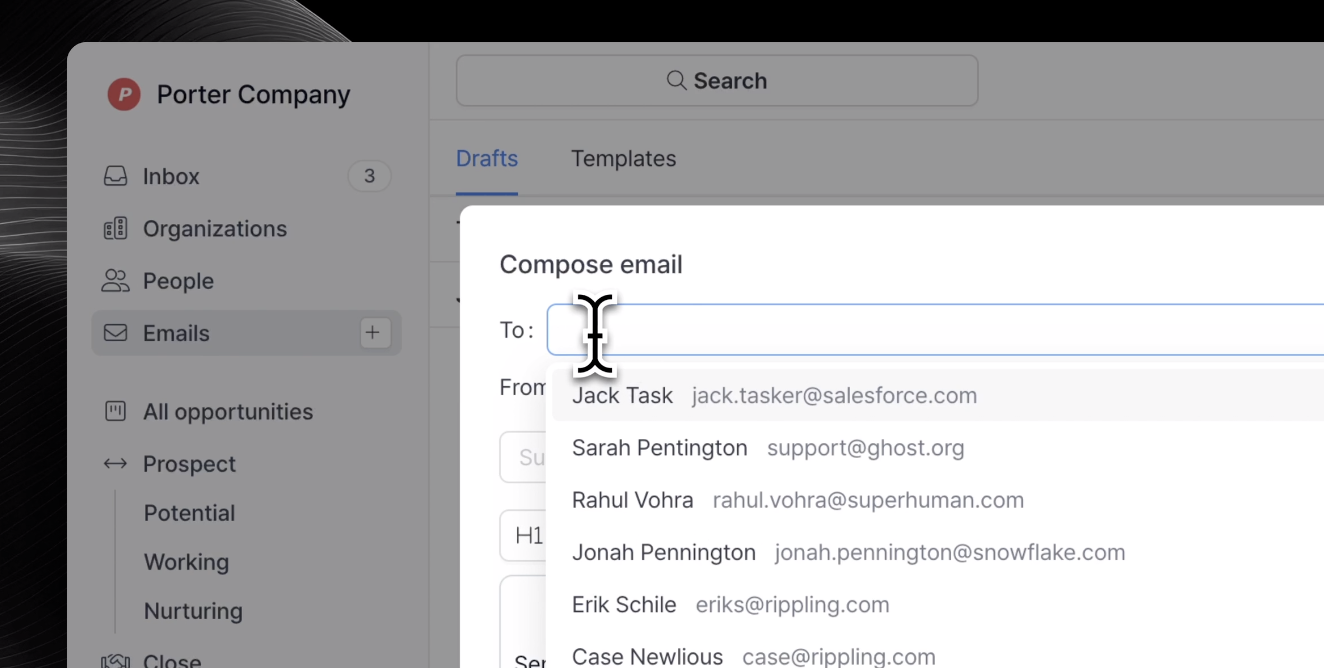
There are multiple ways to draft new emails -- the easiest way is by navigating to `Emails`. See below short video:
## Overview
You can send and receive emails directly from Relate. All your emails are synced **bi-directionally**, meaning that what you see in your original email service will also appear in Relate, vice versa.
## Sending a new email
To start sending (and receiving) emails in Relate, you'll first need to [sync your email account](/docs/setup/email-sync/).
There are multiple ways to draft new emails -- the easiest way is by navigating to `Emails`. See below short video:
The emails section on the left navigation menu allows you to track all of your drafts in one place. You can also create and manage email templates here.
Another way is by navigating to an Organization detail page. Click `Compose email` button to create a new draft.
### Pop out email drafts
If you want to draft emails while viewing other areas of Relate simultaneously, you can pop out the draft and navigate to your desired location in Relate.
### Reply to/forward emails
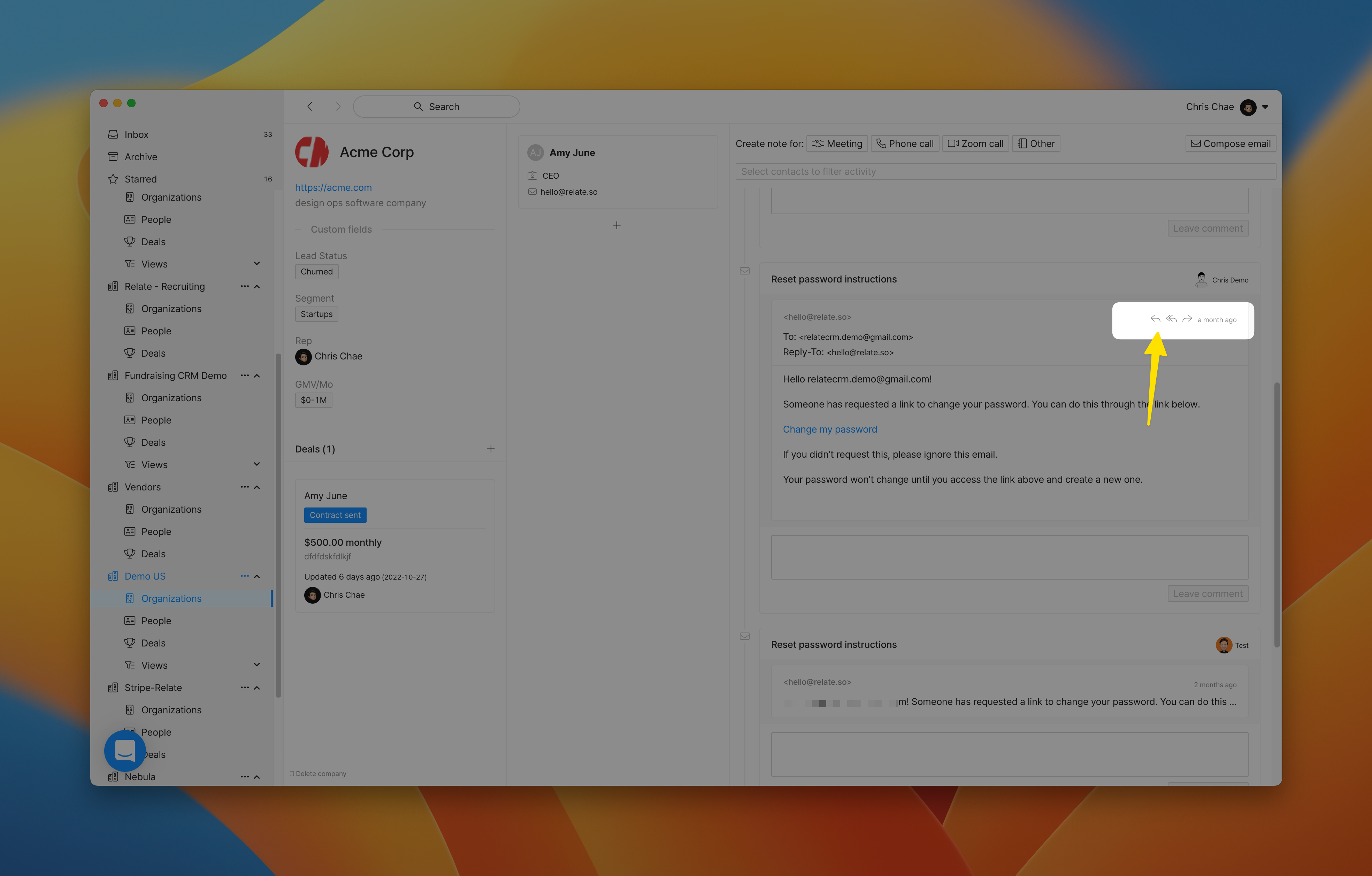
To forward, reply, or reply all to an email, simply open the thread and find the three buttons on the top right corner.
 ## Receiving emails
New emails received will sync immediately and will be displayed in the Organization communication timeline.
You should be able to see the email appear both in your [inbox](/docs/features/inbox/) and in your [Organization](/docs/features/organizations/) detail page.
## Frequently Asked Questions (FAQ)
Currently, new emails sent directly from Relate does not appear in Relate real time.
**Rest assured, the email was sent**, it just didn't appear right away. If you
want to double check whether your email was sent, go to your original email service
and check your **Sent folder**.
Currently, Relate creates separate threads for emails sent to each user. For instance, if someone sends an email to both User A and User B (CC/BCC, or multiple addressees), then Relate will create two threads for each user.
When this happens, you can only reply to YOUR thread. This means you will NOT see a reply/forward button in threads owned by other members on your team.
Rest assured, this will be merged into a single thread soon.
It's likely that the thread you're looking at is not your thread.
Threads have user names on the right side to indicate who owns them.
## Receiving emails
New emails received will sync immediately and will be displayed in the Organization communication timeline.
You should be able to see the email appear both in your [inbox](/docs/features/inbox/) and in your [Organization](/docs/features/organizations/) detail page.
## Frequently Asked Questions (FAQ)
Currently, new emails sent directly from Relate does not appear in Relate real time.
**Rest assured, the email was sent**, it just didn't appear right away. If you
want to double check whether your email was sent, go to your original email service
and check your **Sent folder**.
Currently, Relate creates separate threads for emails sent to each user. For instance, if someone sends an email to both User A and User B (CC/BCC, or multiple addressees), then Relate will create two threads for each user.
When this happens, you can only reply to YOUR thread. This means you will NOT see a reply/forward button in threads owned by other members on your team.
Rest assured, this will be merged into a single thread soon.
It's likely that the thread you're looking at is not your thread.
Threads have user names on the right side to indicate who owns them.