> ## Documentation Index
> Fetch the complete documentation index at: https://relate.so/docs/llms.txt
> Use this file to discover all available pages before exploring further.
# Default Process
> It's the most basic process that can be used anywhere and can be used for a variety of tasks, not just sales.
 ## Overview
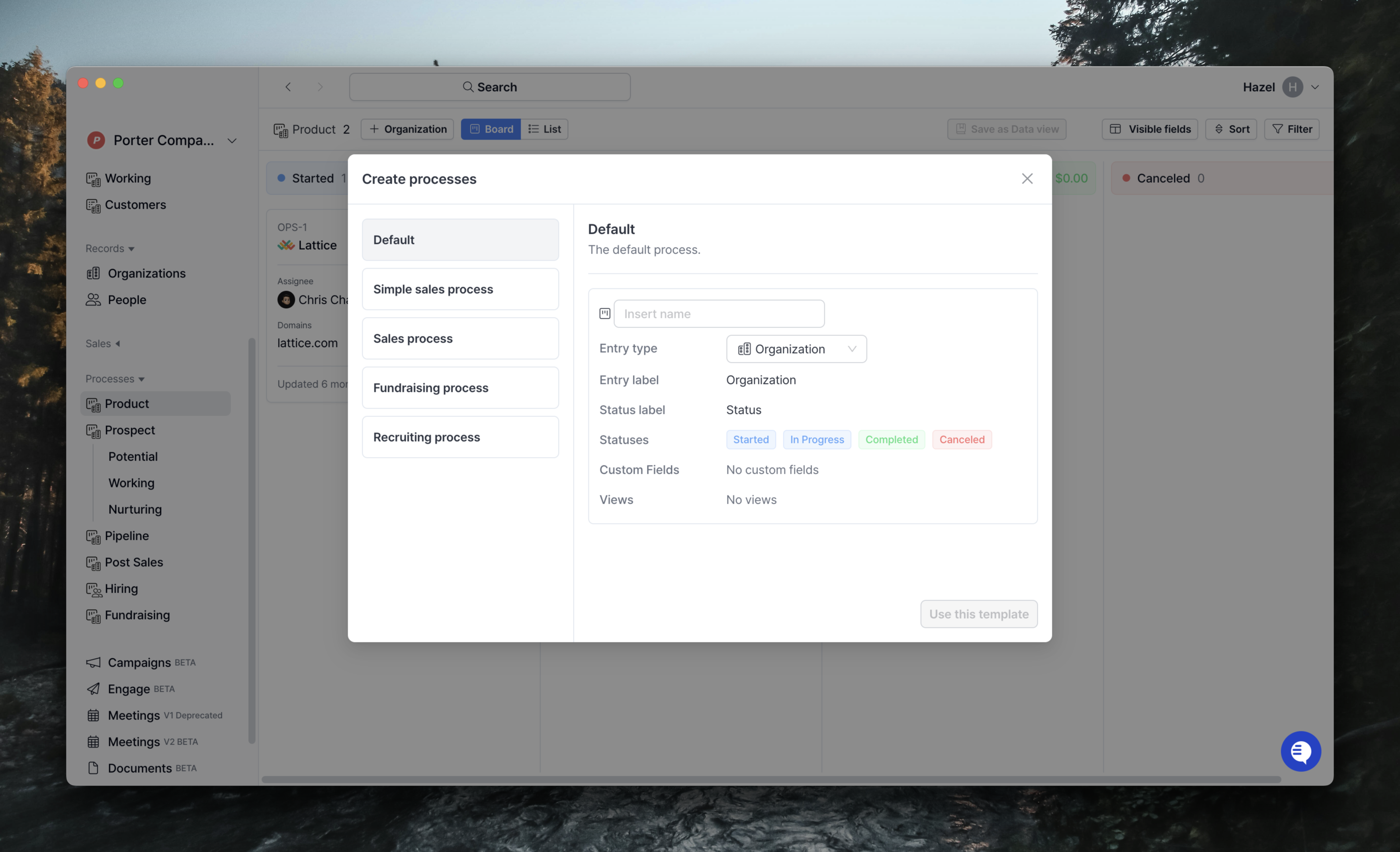
The Default process is a universal template that isn't specific to sales.
You can use it to manage business processes in areas other than sales, such as customer support, marketing, and more.
You can learn more about using processes in [Processes](/docs/features/processes).
If you want to change the status and custom fields provided by this template,
you can find instructions in [Processes > 3. Setting up the process](/docs/features/processes#3-setting-up-the-process) and the [Custom Fields Guide](/docs/features/custom-fields).
## Basics
The default process is of type [Entry](/docs/features/processes#1-entry), which can be changed depending on the type of customer you want to create.
This means that both Organization/Contact can be created as the default process.
However, just like with lists, you can't have two Entry types in the same process.
The status provided by default.
* Started
* In progress
* Completed (Won)
* Canceled (Lost)
After creating a process, you can change/add statuses.
You can find more information about Status and how to manage it in [Processes > 3. Setting up the process](/docs/features/processes#statuses).
Also, because this is the most basic template, it doesn't come with any associated custom fields.
But, you can add them if you need to.
You can set them up by going to Settings > Processes > Custom fields, and you can read more about how to set them up in the [Custom fields guide](/docs/features/custom-fields).
## Overview
The Default process is a universal template that isn't specific to sales.
You can use it to manage business processes in areas other than sales, such as customer support, marketing, and more.
You can learn more about using processes in [Processes](/docs/features/processes).
If you want to change the status and custom fields provided by this template,
you can find instructions in [Processes > 3. Setting up the process](/docs/features/processes#3-setting-up-the-process) and the [Custom Fields Guide](/docs/features/custom-fields).
## Basics
The default process is of type [Entry](/docs/features/processes#1-entry), which can be changed depending on the type of customer you want to create.
This means that both Organization/Contact can be created as the default process.
However, just like with lists, you can't have two Entry types in the same process.
The status provided by default.
* Started
* In progress
* Completed (Won)
* Canceled (Lost)
After creating a process, you can change/add statuses.
You can find more information about Status and how to manage it in [Processes > 3. Setting up the process](/docs/features/processes#statuses).
Also, because this is the most basic template, it doesn't come with any associated custom fields.
But, you can add them if you need to.
You can set them up by going to Settings > Processes > Custom fields, and you can read more about how to set them up in the [Custom fields guide](/docs/features/custom-fields).