> ## Documentation Index
> Fetch the complete documentation index at: https://relate.so/docs/llms.txt
> Use this file to discover all available pages before exploring further.
# Relate Sequence
> Build stronger connections with potential customers using automated email sequences.
 ## Overview
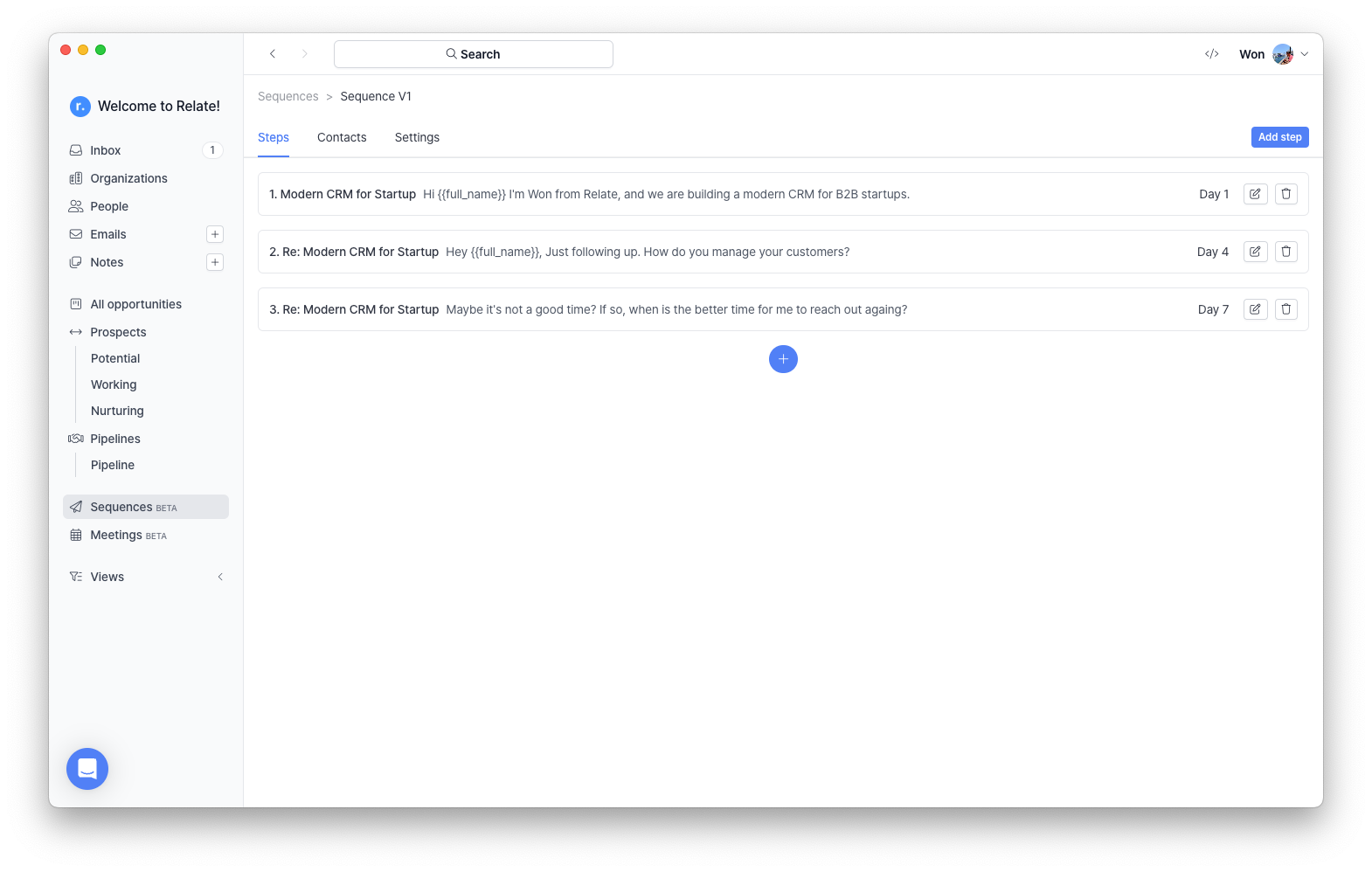
Relate Sequence is a simple email automation tool designed for B2B startups. It allows you to create customized email sequences tailored to your customers or prospects and automatically send follow-up emails at scheduled intervals. It is now available to all Relate users, and paid users can add more sequences to communicate and follow up with various customers more effectively.
## When to use Relate Sequence
Relate Sequence is specifically designed for targeted outbound sales and marketing. It is particularly useful in the following cases:
* Sending follow-up emails to customers with ongoing deals.
* Scheduling follow-ups with inbound leads who have shown interest.
## Set Up an Email Sequence
1. Enter the **Sequence** tab from the left panel.
## Overview
Relate Sequence is a simple email automation tool designed for B2B startups. It allows you to create customized email sequences tailored to your customers or prospects and automatically send follow-up emails at scheduled intervals. It is now available to all Relate users, and paid users can add more sequences to communicate and follow up with various customers more effectively.
## When to use Relate Sequence
Relate Sequence is specifically designed for targeted outbound sales and marketing. It is particularly useful in the following cases:
* Sending follow-up emails to customers with ongoing deals.
* Scheduling follow-ups with inbound leads who have shown interest.
## Set Up an Email Sequence
1. Enter the **Sequence** tab from the left panel.
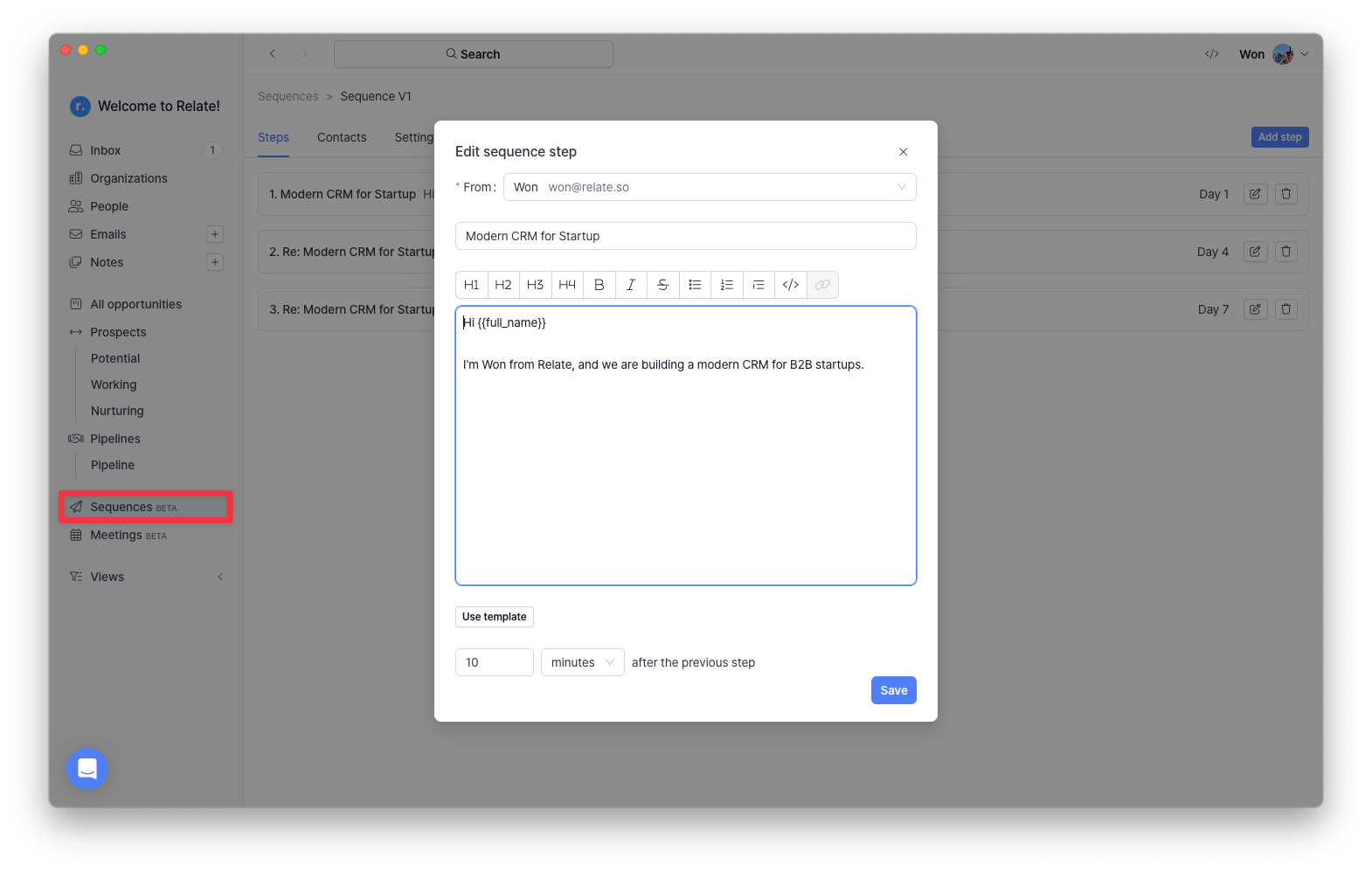 2. Click `+Sequence`, enter a Sequence name and Timezone, then click `Create`.
3. Click `Add a step` to set up a new email. You can configure the following options for a more effective sequence:
* Assign a sender for the email.
* Use a pre-built template.
* Schedule when the first email should be sent after adding a [Contact](../features/people#add-a-person).
2. Click `+Sequence`, enter a Sequence name and Timezone, then click `Create`.
3. Click `Add a step` to set up a new email. You can configure the following options for a more effective sequence:
* Assign a sender for the email.
* Use a pre-built template.
* Schedule when the first email should be sent after adding a [Contact](../features/people#add-a-person).
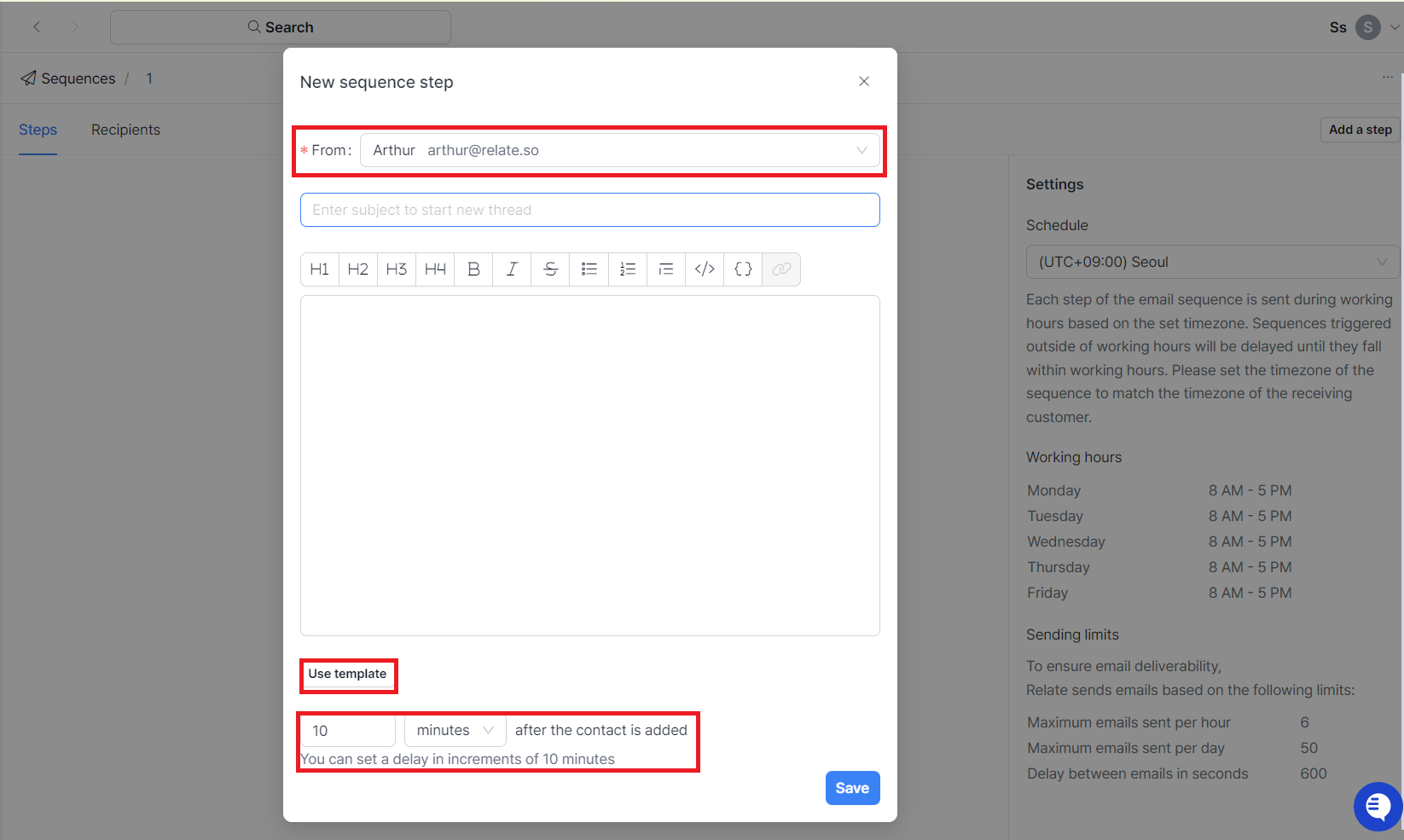 4. Add follow-up emails. From the second step onward, you can specify the delay before the next email is sent, ensuring follow-ups are automatically scheduled after a set interval.
* If you don’t enter a subject line, the follow-up email will be sent in the same thread with "Re:" automatically added to the subject.
* If you enter a subject line, the email will start a new thread.
### Use Variables
Variables (also known as mail merge fields) allow you to personalize emails dynamically.
4. Add follow-up emails. From the second step onward, you can specify the delay before the next email is sent, ensuring follow-ups are automatically scheduled after a set interval.
* If you don’t enter a subject line, the follow-up email will be sent in the same thread with "Re:" automatically added to the subject.
* If you enter a subject line, the email will start a new thread.
### Use Variables
Variables (also known as mail merge fields) allow you to personalize emails dynamically.
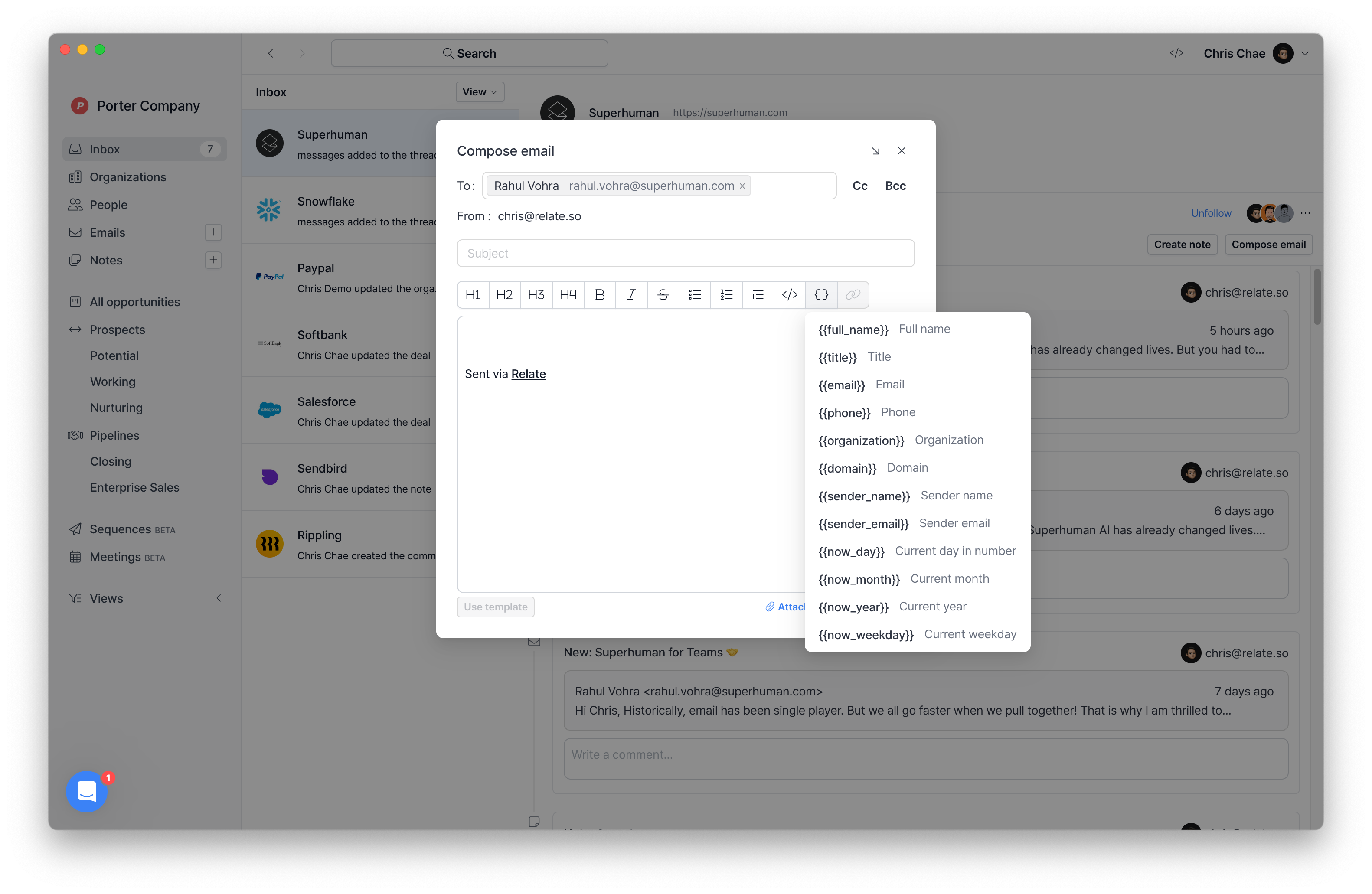 * `{{full_name}}`: Full name (First and last names will be separated in a future update.)
* `{{title}}`: Job title
* `{{email}}`: Contact’s email
* `{{phone}}`: Contact’s phone number
* `{{organization}}`: Company name
* `{{domain}}`: Company website URL
* `{{sender_name}}`: Sender’s name
* `{{sender_email}}`: Sender’s email
* `{{now_day}}`: Today's date (e.g., "15" for November 15)
* `{{now_month}}`: Current month (e.g., November)
* `{{now_year}}`: Current year (e.g., 2025)
* `{{now_weekday}}`: Day of the week (e.g., Wednesday)
* `{{number_of_contacts}`: Number of contacts in the organization
### Track Email Performance
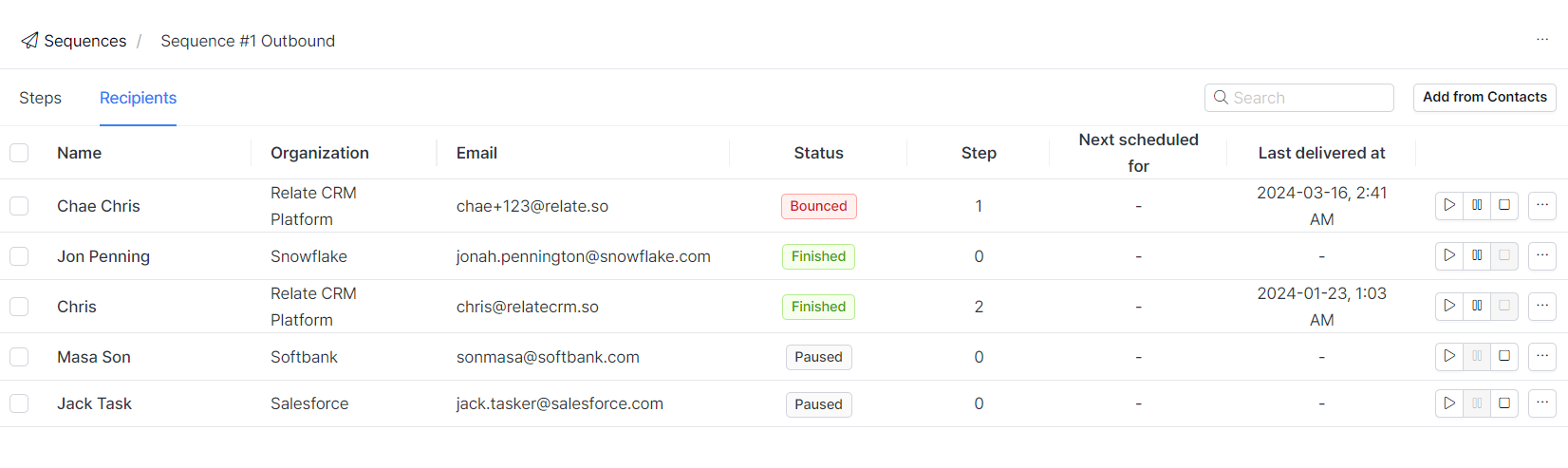
You can track the results of your email sequences in the list of **Sequences**, where you can monitor open rates, click rates, replies, and bounce rates. For detailed recipient-level tracking, go to the **Recipients** tab.
Even if a recipient is included in a sequence, emails will not be sent in the following cases:
* The recipient has unsubscribed.
* The email has bounced:
* Soft bounce: A temporary issue, such as a full inbox or an unavailable mail server.
* Hard bounce: A permanent issue, such as an invalid or non-existent email address.
* `{{full_name}}`: Full name (First and last names will be separated in a future update.)
* `{{title}}`: Job title
* `{{email}}`: Contact’s email
* `{{phone}}`: Contact’s phone number
* `{{organization}}`: Company name
* `{{domain}}`: Company website URL
* `{{sender_name}}`: Sender’s name
* `{{sender_email}}`: Sender’s email
* `{{now_day}}`: Today's date (e.g., "15" for November 15)
* `{{now_month}}`: Current month (e.g., November)
* `{{now_year}}`: Current year (e.g., 2025)
* `{{now_weekday}}`: Day of the week (e.g., Wednesday)
* `{{number_of_contacts}`: Number of contacts in the organization
### Track Email Performance
You can track the results of your email sequences in the list of **Sequences**, where you can monitor open rates, click rates, replies, and bounce rates. For detailed recipient-level tracking, go to the **Recipients** tab.
Even if a recipient is included in a sequence, emails will not be sent in the following cases:
* The recipient has unsubscribed.
* The email has bounced:
* Soft bounce: A temporary issue, such as a full inbox or an unavailable mail server.
* Hard bounce: A permanent issue, such as an invalid or non-existent email address.
 ## Upcoming Updates
The following features are planned for future updates:
* Easily add filtered lists from the **Organizations** or **People** to sequences.
* Preview emails before they are sent.
* Track how many times each recipient has opened or clicked an email.
## Build an Effective Outbound Strategy with Relate Sequence
Start using Relate Sequence today and automate your follow-ups effortlessly. Create your first sequence and streamline your outreach!
## Upcoming Updates
The following features are planned for future updates:
* Easily add filtered lists from the **Organizations** or **People** to sequences.
* Preview emails before they are sent.
* Track how many times each recipient has opened or clicked an email.
## Build an Effective Outbound Strategy with Relate Sequence
Start using Relate Sequence today and automate your follow-ups effortlessly. Create your first sequence and streamline your outreach!